
7 Ways to Bypass CAPTCHA While Web Scraping: Quick Guide
Learn how to bypass CAPTCHAs while scraping with seven effective ways and access any website you want.

Getting blocked by CAPTCHAs like reCAPTCHA v3 or Cloudflare Turnstile can halt your scraping pipeline. While these challenges are designed to stop automation, they can be bypassed by addressing the signals that trigger them, such as TLS fingerprints, IP reputation, and more.
In this guide, you’ll learn 7 proven strategies to bypass CAPTCHAs when scraping:
- Rotate IPs.
- Rotate User Agents.
- Use a CAPTCHA solver.
- Avoid hidden traps.
- Simulate human behavior.
- Save CAPTCHA solution cookies.
- Hide automation indicators.
Let's go!
What Is CAPTCHA?
CAPTCHA is a short form of "Completely Automated Public Turing test to tell Computers and Humans Apart." It actually aims to prevent automated programs from accessing websites, protecting them from potential harm and bot-like activities like scraping. A CAPTCHA is a challenge the user must solve to access a protected website.
CAPTCHA is easy for humans to solve but very difficult for machines to understand, making it hard for web scrapers to bypass. While some CAPTCHAs require simple checkbox clicking, others present puzzles in the form of images, audio, or text.
Some common CAPTCHA types you'll encounter during scraping include Google’s reCAPTCHA, Cloudflare Turnstile, Text CAPTCHA, and Click CAPTCHA.
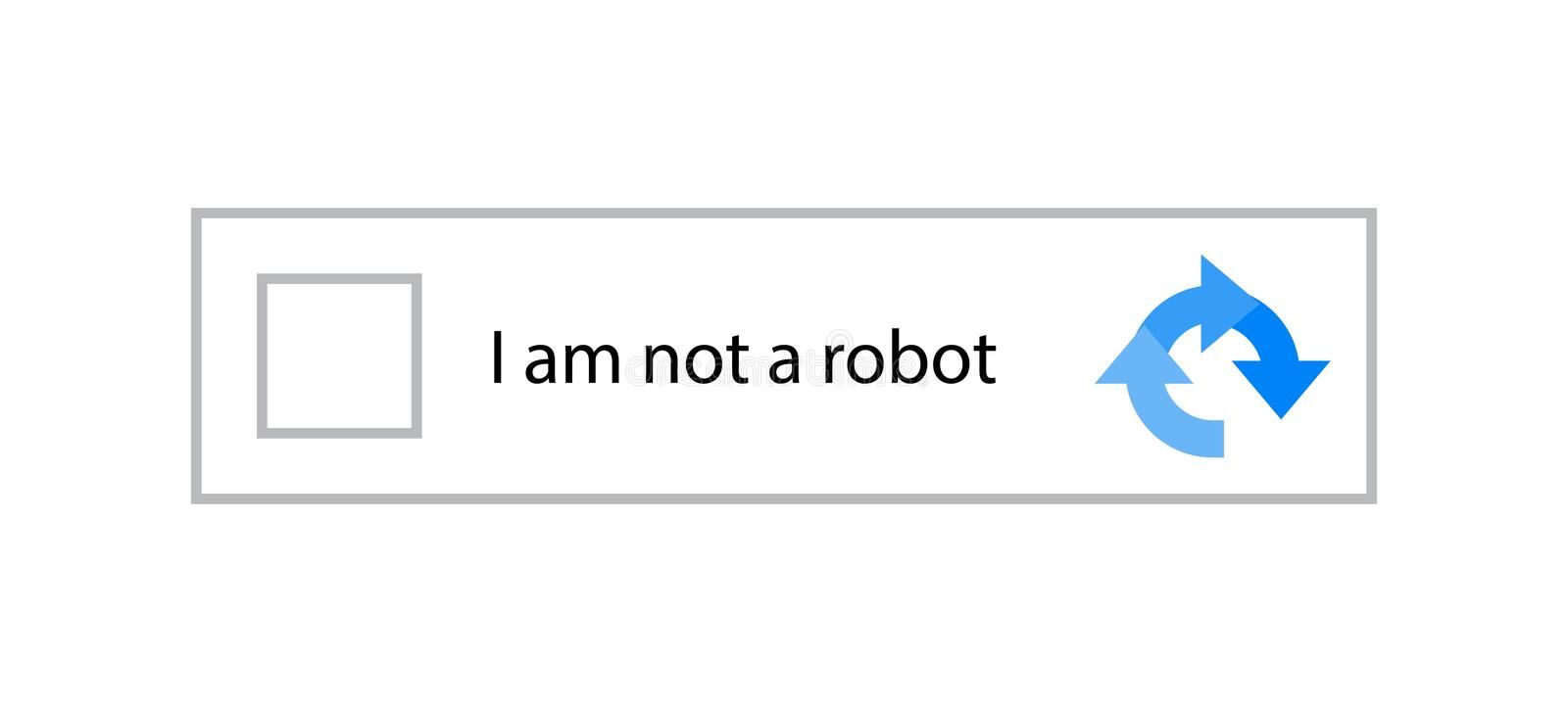
For example, in the image below, the user must check the box to prove they're human. But a bot can't follow such an instruction (intuitively).
"One of the secrets to high-scale scraping isn't just solving CAPTCHAs. It's staying under the radar, so you never see them in the first place. Think of it as stealth, not strength." — Carlos Eduardo Mayer, Software Engineer at ZenRows.
How Does CAPTCHA Block You While Web Scraping?
CAPTCHAs also take various forms depending on the website's implementation. While some appear every time you visit a web page, most are triggered by bot-like activities such as web scraping. The triggered types are more common because CAPTCHAs have evolved to intelligently distinguish between human and automated requests, minimizing disruption for legitimate users.
A web scraping CAPTCHA may appear due to:
- Sending multiple requests from the same IP within a few seconds.
- Repeated automation patterns, such as clicking the same link frequently or accessing the same pages repeatedly.
- Suspicious automation interactions, such as visiting many pages at once without interaction, clicking at an unusual speed, or very quickly filling out a form.
- Disregarding the robots.txt file by accessing restricted web pages.
Regardless of the CAPTCHA type and or its implementation, bypassing it is essential for successful data extraction.
Can CAPTCHA Be Bypassed?
Yes, but it's hard. The recommended approach is to prevent CAPTCHAs from appearing in the first place and, if blocked, to retry the request.
Alternatively, you can solve the CAPTCHA, but the success rate is much lower, and the cost is significantly higher. Most CAPTCHA-solving services send requests to human solvers and return the solution. This approach slows down your scraper and substantially reduces its efficiency.
Avoiding CAPTCHA is more reliable, as it employs all the required measures to prevent automated actions that trigger it. Below, we'll cover the best approaches for bypassing CAPTCHAs during web scraping so you can get the data you want.
Skip the blocks. Try Zenrows free and get clean web data without the anti-bot fight.
How to Bypass CAPTCHA While Web Scraping
This section will explain seven techniques for CAPTCHA bypass while scraping in Python.
1. Rotate IPs
If you send many requests from the same IP address, websites can detect it as bot activity and block you. To prevent that, rotate your IPs to scrape without interruptions.
You have to create a pool of proxies and programmatically rotate them to change your IP address per request. Let's quickly see how to implement that in Python by requesting https://httpbin.io/ip, a test website that returns your IP address.
We'll grab a few proxies from the Free Proxy List for this.
Note
We've only used free proxies to show how IP rotation works. They're unsuitable for real-life projects, and the ones used in this tutorial may not work at the time of reading. Feel free to grab new ones from the Free Proxy List website.
Import the Requests library and create a proxy list:
# import the required libraries
import requests

# create a proxy list
proxy_list = [
    {
        "http": "http://27.64.18.8:10004",
        "https": "http://27.64.18.8:10004",
    },
    {
        "http": "http://161.35.70.249:3128",
        "https": "http://161.35.70.249:3129",
    },
    # ...
]
Add 1itertools to your imports. You'll use this module to create a cycler instance for the proxies. Define a proxy_rotator function that returns a generator for the proxy list:
# ...
import itertools

# define a proxy rotator using a generator
def proxy_rotator(proxy_list):
    return itertools.cycle(proxy_list)
Create a new generator instance from the rotator function. Loop through a range of requests and pass the generator function as the proxy parameter. The next function ensures that your request uses the next proxy address on the list and starts from the beginning once you exhaust it:
# create a generator from the proxy rotator function
proxy_gen = proxy_rotator(proxy_list)

# rotate the proxies for three requests
for request in range(3):
    # send a request to httpbin.io
    response = requests.get("https://httpbin.io/ip", proxies=next(proxy_gen))
    # print the response text to see your current IP
    print(response.text)
Combine the snippets. Here's the complete code:
# import the required libraries
import requests
import itertools

# create a proxy list (create your own proxy list)
proxy_list = [
    {
        "http": "http://27.64.18.8:10004",
        "https": "http://27.64.18.8:10004",
    },
    {
        "http": "http://161.35.70.249:3128",
        "https": "http://161.35.70.249:3129",
    },
    # ...
]


# define a proxy rotator using a generator
def proxy_rotator(proxy_list):
    return itertools.cycle(proxy_list)

# create a generator from the proxy rotator function
proxy_gen = proxy_rotator(proxy_list)

# rotate the proxies for three requests
for request in range(3):
    # send a request to httpbin.io
    response = requests.get("https://httpbin.io/ip", proxies=next(proxy_gen))
    # print the response text to see your current IP
    print(response.text)
The above code returns each proxy's IP for three requests and restarts from the beginning once the request exhausts the list, proving that the scraper rotates the proxies in the proxy list:
{
    "origin": "27.64.18.8:33662"
}
{
    "origin": "161.35.70.249:56647"
}
{
    "origin": "27.64.18.8:76563"
}
As mentioned, free proxies usually fail due to their short lifespan. Your best option is to use a premium CAPTCHA proxy server that automatically masks your IP and changes the assigned address.
If you're interested in learning more, check out our guide on rotating proxies in Python.
2. Rotate User Agents
Rotating the User Agent header is another way to prevent CAPTCHAs from appearing while scraping. The User Agent is a string sent with every request. It identifies the browser/HTTP client and operating system of the request source.
The information a User Agent provides helps websites optimize their pages for different devices and browsers, but anti-bot measures also use it to identify and block bots.
To avoid blocks, your User Agent should look natural, have consistent information, and be up-to-date. Then, you should rotate it to avoid using the same User Agent for every request.
While rotating the User Agent, you should also ensure that its values, such as the platform, version, vendor, and rendering engine, match those of other relevant headers like Sec-Ch-Ua and Sec-Ch-Ua-Platform.
Jonathan Nebot, Senior Software Engineer at ZenRows hints that "User Agent rotation can turn into a hidden trap for getting blocked if not done strategically. Many scrapers rotate the User-Agent without matching its value against other headers, such as Sec-Ch-Ua and Sec-Ch-Ua-Platform. A mismatch between your User Agent and the platform information, rendering engine, and vendor value in the headers can trigger a CAPTCHA challenge."
Building on the previous IP rotation code, we'll create a Python scraper example that rotates the User Agent from a list. We'll request https://httpbin.io/user-agent, a test website that returns the current User Agent.
First, create a User Agent list. You can compile a list of real ones from WhatIsMyBrowser:
# ...

# create a User Agent list
user_agent_list = [
    "Mozilla/5.0 (Windows NT 10.0; Win64; x64) AppleWebKit/537.36 (KHTML, like Gecko) Chrome/126.0.0.0 Safari/537.36",
    "Mozilla/5.0 (Macintosh; Intel Mac OS X 10_15_7) AppleWebKit/537.36 (KHTML, like Gecko) Chrome/126.0.0.0 Safari/537.36",
    "Mozilla/5.0 (Windows NT 10.0; Win64; x64; rv:128.0) Gecko/20100101 Firefox/128.0",
    # ...
]
Define a function that returns a User Agent generator:
# ...

# define a User Agent rotator
def rotate_ua(user_agent_list):
    return itertools.cycle(user_agent_list)
Create a generator instance and use it in multiple requests to rotate the User Agents:
# ...

# create a generator instance
user_agent_generator = rotate_ua(user_agent_list)

# rotate the User Agent for 4 requests
for request in range(4):
    # send a request to httpbin.io
    response = requests.get(
        "https://httpbin.io/user-agent",
        headers={"User-Agent": next(user_agent_generator)},
    )
    # print the response text to see the current User Agent
    print(response.text)
Merge the snippets, and you'll get the following final code:
# import the required libraries
import requests
import itertools

# create a User Agent list
user_agent_list = [
    "Mozilla/5.0 (Windows NT 10.0; Win64; x64) AppleWebKit/537.36 (KHTML, like Gecko) Chrome/126.0.0.0 Safari/537.36",
    "Mozilla/5.0 (Macintosh; Intel Mac OS X 10_15_7) AppleWebKit/537.36 (KHTML, like Gecko) Chrome/126.0.0.0 Safari/537.36",
    "Mozilla/5.0 (Windows NT 10.0; Win64; x64; rv:128.0) Gecko/20100101 Firefox/128.0",
    # ...
]

# define a User Agent rotator
def rotate_ua(user_agent_list):
    return itertools.cycle(user_agent_list)

# create a generator instance
user_agent_generator = rotate_ua(user_agent_list)

# rotate the User Agent for 4 requests
for request in range(4):
    # send a request to httpbin.io
    response = requests.get(
        "https://httpbin.io/user-agent",
        headers={"User-Agent": next(user_agent_generator)},
    )
    # print the response text to see the current User Agent
    print(response.text)
The above code rotates the User Agent per request as shown:
{
    "user-agent": "Mozilla/5.0 (Windows NT 10.0; Win64; x64) AppleWebKit/537.36 (KHTML, like Gecko) Chrome/126.0.0.0 Safari/537.36"
}

{
    "user-agent": "Mozilla/5.0 (Macintosh; Intel Mac OS X 10_15_7) AppleWebKit/537.36 (KHTML, like Gecko) Chrome/126.0.0.0 Safari/537.36"
}

{
    "user-agent": "Mozilla/5.0 (Windows NT 10.0; Win64; x64; rv:128.0) Gecko/20100101 Firefox/128.0"
}

{
    "user-agent": "Mozilla/5.0 (Windows NT 10.0; Win64; x64) AppleWebKit/537.36 (KHTML, like Gecko) Chrome/126.0.0.0 Safari/537.36"
}
You now know how to rotate the User Agent during scraping.
Check out our list of the best User Agents for web scraping to get started.
3. Use a CAPTCHA Solver
Instead of bypassing CAPTCHAs, CAPTCHA solvers are services that automatically solve CAPTCHAs, allowing you to scrape websites without interruptions. A popular example is 2Captcha, which employs human workers to solve CAPTCHA challenges.
When a CAPTCHA-solving service receives a request to solve a CAPTCHA, it transfers it to a human worker who solves the puzzle and sends the solution to the solver service. The CAPTCHA solver service then returns the CAPTCHA answer to a scraper, which uses it to solve the CAPTCHA challenge on a target web page.
While it appears to be an easy fix, CAPTCHA solvers are expensive at scale and only work with some CAPTCHA types.
4. Avoid Hidden Traps (Honeypots)
Did you know that websites use sneaky traps called honeypots to detect bots? Honeypots are hidden traps, such as invisible links, form fields, or data, deliberately placed on a website to detect and mislead scrapers.
These traps are only visible to bots, not to human users. Interaction with such traps enables the website to detect bot behavior and flag the bot's IP address as suspicious. Requests that are trapped in a honeypot are generally blocked from subsequent access to the site resources.
Some honeypots are even sophisticated, tricking bots into interacting with the wrong elements and downloading the wrong data to waste the bot's resources.
But you can learn how these traps work and how to spot them. One way is to inspect the website's HTML for hidden elements and avoid elements with unusual names or values.
To learn more, check our detailed guide on honeypot traps and how to bypass them.
5. Simulate Human Behavior
Accurately simulating human behavior is essential to bypass CAPTCHA while scraping a website. For instance, making multiple requests within a few milliseconds can result in a rate-limited IP ban.
"Anti-bots often look for "perfect" patterns. Ironically, to be a better bot, you have to embrace human imperfection, such as random pauses, jittery scrolling, and non-linear paths," says Henrique Lima, Customer Success Engineer at ZenRows.
One way to mimic human behavior is to add delays between requests to reduce your request frequency. You can randomize the delays to make it more intuitive. Another approach is implementing exponential backoffs to increase the wait time after each failed request.
The code below shows how to wait between requests and randomize the wait intervals using Python's time and random modules.
import time
import random
import requests

# make a GET request to the given URL and print the status code
def make_request(url):
    response = requests.get(url)
    print(f"Request to {url} returned status code: {response.status_code}")

# list of URLs to request
urls = [
    "https://www.scrapingcourse.com/ecommerce/page/1/",
    "https://www.scrapingcourse.com/ecommerce/page/2/",
    "https://www.scrapingcourse.com/ecommerce/page/3/",
]

# range for random wait time (in seconds)
min_wait = 1
max_wait = 5

# iterate through each URL in the list
for url in urls:
    make_request(url)
    wait_time = random.uniform(min_wait, max_wait)
    print(f"Waiting for {wait_time:.2f} seconds before the next request...")
    time.sleep(wait_time)

print("All requests completed.")
In addition to delays, adding human interactions (clicking, scrolling, hovering, etc.) to your scraper reduces the chances of anti-bot detection. It can be achieved with a headless browser, e.g., Selenium. Selenium lets you control browsers like Chrome programmatically and create headless browser sessions.
Check out our in-depth guide on headless browsers in Python and Selenium to learn more.
6. Save CAPTCHA Solution Cookies
Cookies can be your secret weapon when it comes to web scraping. These small files contain data about your interactions with a website, including your login status, preferences, access tokens and more.
Note
Not all CAPTCHA providers use cookie-based access tokens, and the mechanism used by each can change. Before using this method, check the specific CAPTCHA blocking you to ensure they expose solution tokens in cookies.
Some CAPTCHA providers, such as Cloudflare, store their solution tokens as cookies and persist them across several sessions. An example is Cloudflare's cf_clearance, which is issued to the user as an access token after the user passes the Turnstile CAPTCHA.
Additionally, if you're scraping behind a login, cookies can be beneficial since they save you the hassle of logging in again, reducing the risk of getting caught. You can also use cookies to persist or pause a web scraping session and resume later. That said, keep in mind that scraping behind a login wall can attract legal consequences and isn't recommended.
With HTTP clients like Requests and headless browsers such as Selenium, you can programmatically save and load cookies to mimic browser sessions and extract data while minimizing detection.
However, using standard scraping tools to extract cookies for CAPTCHA bypass is challenging because they expose detectable bot-like attributes. This means they easily get blocked even before gaining access to the required access cookies.
Instead, specialized cookie-extraction tools, such as Camoufox, can help capture CAPTCHA solution tokens stored in cookies, making it easier to automate data extraction from protected websites.
Related: Web Scraping with Camoufox to Bypass Anti-bots
Camoufox is a Playwright-based stealth library in Python that captures CAPTCHA solution cookies. First, it allows the user to launch a real browser in GUI mode and manually solve the CAPTCHA. It then saves the solution cookie in a folder and uses it for subsequent requests, even in headless mode.
Using Camoufox, let's see how to scrape a CAPTCHA solution cookie from the Cloudflare Challenge page, a site that uses Cloudflare's Turnstile CAPTCHA.
First, install Camoufox:
pip3 install camoufox[geoip]
Next, fetch Camoufox's browser binaries and evasions with the following command:
camoufox fetch
The Camoufox scraper below launches a Windows-based browser in non-headless (GUI) mode, activates the humanize and persistent_context, and stores cookies in the user_data directory:
# pip3 install -U camoufox[geoip]
from camoufox.sync_api import Camoufox
import time

# initialize Camoufox browser with evasion settings
with Camoufox(
    headless=False,
    humanize=True,
    os="windows",
    persistent_context=True,
    user_data_dir="user_data",
) as browser:
    # open the target page
    page = browser.new_page()
    page.goto("https://www.scrapingcourse.com/cloudflare-challenge/")

    time.sleep(10)

    page.wait_for_timeout(20000)
    page.close()
Once the website opens in the browser, solve the CAPTCHA manually by clicking it. Camoufox will capture the access token you obtained during the manual solving process and save it inside the user_data directory. Once done, you can continue with Camoufox in headless mode, and it will persist that solution token across subsequent sessions.
However, note that capturing and persisting access tokens is unsustainable and unscalable because your scraper can fail once the cookie expires or the CAPTCHA service changes their strategy. Additionally, during updates, CAPTCHA services often clamp down on open-source tools such as Camoufox by targeting and blocking their evasion mechanisms.
7. Hide Automation Indicators
You should still be careful when using a headless browser like Selenium, Playwright, and Puppeteer because they leak automation indicators like navigator.webdriver. This makes them prone to getting blocked.
Anti-bot measures detect these bot-like parameters through techniques like browser fingerprinting, TLS fingerprinting, WebGL fingerprinting, and more.
However, stealth alternatives, such as SeleniumBase, Playwright Stealth, and Puppeteer Stealth, hide bot-like parameters. And you can also use them to automate human-like mouse movements and keyboard strokes without being noticed.
Avoid Getting Blocked
The best way to bypass CAPTCHA is to use a web scraping solution such as the ZenRows Universal Scraper API. This approach is recommended, especially if you're tired of jumping between tools and endlessly tweaking CAPTCHA bypass techniques.
ZenRows provides everything you need to avoid CAPTCHA challenges, including a CAPTCHA bypass API, premium proxy rotation, JavaScript rendering capabilities, automatic header management, browser fingerprint randomization, and more.
ZenRows' Adaptive Stealth Mode provides the optimal configuration you need for the best success rate and at the lowest possible cost. It enables your scraper to adapt to anti-bot security measures as they evolve, giving you the best experience with zero maintainance overhead.
Let's see how ZenRows performs against a protected page, such as the anti-bot challenge page.
Start by signing up for a new account, and you'll get to the Request Builder. Paste the target URL in the link box and activate Adaptive Stealth Mode.
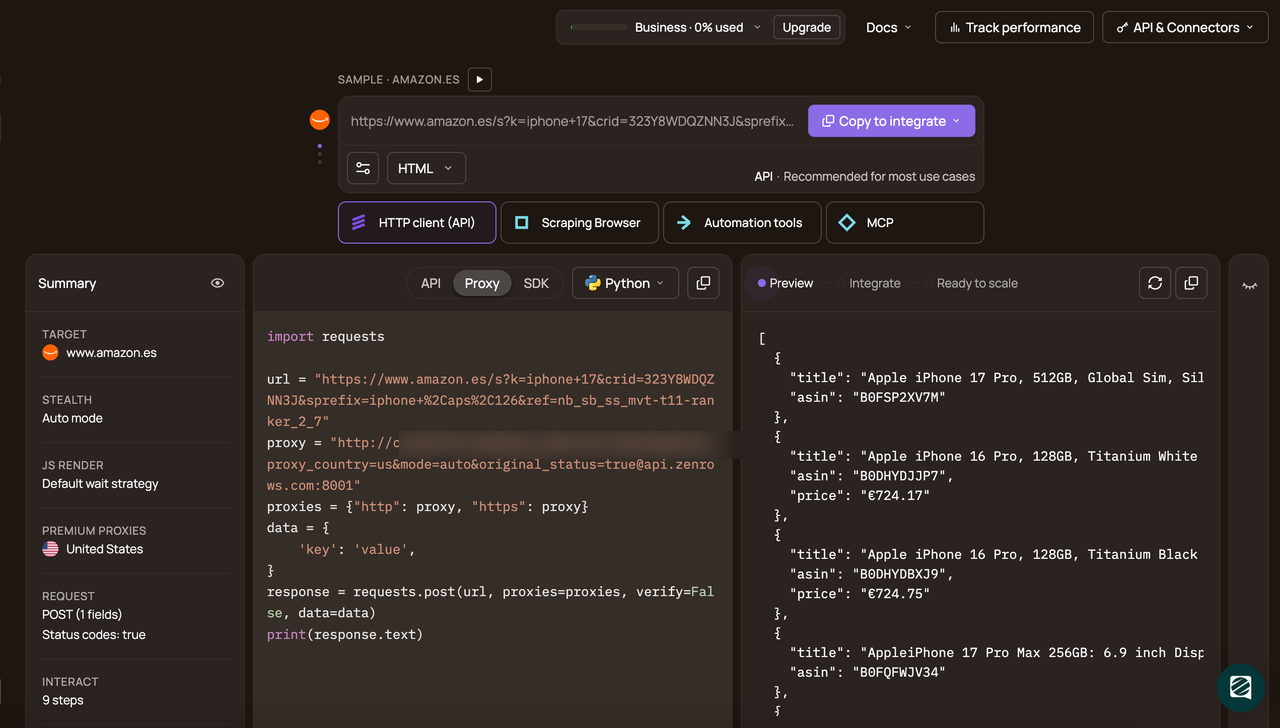
Next, select your programming language (Python, in this case) and click on the API connection mode. Then, copy the generated code and paste it into your script.
# pip3 install requests
import requests

url = "https://www.scrapingcourse.com/antibot-challenge"
apikey = "<YOUR_ZENROWS_API_KEY>"
params = {
    "url": url,
    "apikey": apikey,
    "mode": "auto",
}
response = requests.get("https://api.zenrows.com/v1/", params=params, print(response.text)
The generated code uses Python's Requests library as the HTTP client. You can install this library using pip:
pip3 install requests
Run the code, and you'll successfully access the page:
<html lang="en">
<head>
    <!-- ... -->
    <title>Antibot Challenge - ScrapingCourse.com</title>
    <!-- ... -->
</head>
<body>
    <!-- ... -->
    <h2>
        You bypassed the Antibot challenge! :D
    </h2>
    <!-- other content omitted for brevity -->
</body>
</html>
Congratulations! 🎉 You've successfully bypassed the anti-bot challenge page using ZenRows. This works for any website.
Conclusion
In this guide, you've learned the different ways to handle CAPTCHA in web scraping:
- How CAPTCHA detects and blocks automated traffic.
- Various techniques to prevent CAPTCHA challenges.
- When and why CAPTCHA-solving services might be needed.
- Best practices for avoiding CAPTCHA triggers.
Keep in mind that websites don't rely solely on CAPTCHA to detect bots. They employ multiple anti-bot measures, including IP detection, browser fingerprinting, behavioral analysis, and more. Integrate ZenRows to ensure you extract all the data you need without being blocked.
Try ZenRows for free now or speak with sales!
FAQ
Is bypassing CAPTCHA illegal?
Bypassing CAPTCHA is not inherently illegal, but it may violate a website's terms of service. Always ensure compliance with local laws and avoid scraping sensitive or restricted data.
Does CAPTCHA prevent web scraping?
Yes, CAPTCHA is designed to block automated bots by identifying unusual traffic patterns or bot-like behavior. However, techniques like IP rotation, user behavior simulation, and CAPTCHA solvers can help bypass it.
Can CAPTCHA be bypassed by AI?
Yes, AI-powered CAPTCHA solvers can bypass CAPTCHA by recognizing and solving challenges. ZenRows, on the other hand, integrates automatic CAPTCHA-solving capabilities, making it easier to scrape without interruptions.
How do you avoid triggering CAPTCHA?
To avoid triggering CAPTCHA:
- Use a web scraping API like ZenRows' Universal Scraper API.
- Rotate IPs and User Agents
- Mimic human behavior (e.g., delays, clicks, scrolling).
- Use cookies to maintain sessions.
- Avoid interacting with hidden traps, such as honeypots.
How can I bypass reCAPTCHA when web scraping?
Bypass reCAPTCHA using:
- CAPTCHA-solving services like 2Captcha.
- ZenRows handles CAPTCHA challenges automatically with premium rotating proxies, browser emulation, and anti-bot bypass features.