
Fake User Agent: How to Generate Random User Agents in Python
Learn the ins and outs of using Python's fake-useragent library to mimic real browsers and enhance your web scraping success.

Using a random User Agent to mimic a real browser during web scraping is a common technique that reduces your chances of getting blocked.
This article will show you how to randomize User-Agent headers using Python's fake-useragent library.
What Is a Fake User Agent?
A fake User Agent is a substitute for the default User Agent sent with your request. It makes your scraper appear as a regular browser by spoofing another browser's User Agent string. The generated User Agents aren't fake after all. It actually generates random User Agents and can enhance your scraper's ability to access a website without being detected as a bot.
Most HTTP clients, like the Python Requests, may have a user agent that looks like the following, which is more prone to blocking:
python-requests/2.31.0
However, a regular User Agent sent by the browser might look like the one below. It tells the website that it's a Chromium-based Edge browser on a Windows 10 64-bit OS and that it's compatible with Safari and the Gecko rendering engine.
Mozilla/5.0 (Macintosh; Intel Mac OS X 10_15_7) AppleWebKit/537.36 (KHTML, like Gecko) Chrome/148.0.0.0 Safari/537.36
Replacing the default user agent with such a descriptive string eliminates the bot stigma and gives your scraper a solid browser footing.
Related: How to Bypass WAF in 2026: Challenges and Solutions
This way, you won't get blocked by anti-bot systems. For example, the right User Agent can bypass Cloudflare or other WAFs.
Let's see how to do that.
How to Use a Fake User Agent Library in Python
Manually tweaking the user agent can be time-consuming, unsustainable, and less efficient than automatic rotation. Thankfully, Python has a library called fake-useragent that lets you generate and randomize valid user agent strings on the fly.
Let's see how to use it.
Step 1: Install and Set up the Tool
The first step is to install fake-useragent via pip from the command line:
pip3 install fake-useragent
Once installed, you're ready to start generating browser-like user agents.
Step 2: Generate Fake User Agents
The library's use is pretty straightforward: it begins with an instance of the UserAgent class, and you can call its various user agent attributes.
For example, the following Python request rotates random User Agents across any browser and platform using ua.random. It passes this to the request headers dictionary before sending the request:
# pip3 install fake-useragent requests
import requests
from fake_useragent import UserAgent

# Instantiate the UserAgent class
ua = UserAgent()

# Get random user agents
random_ua = ua.random

# Specify the request URL
url = 'https://httpbin.io/'

# Pass the random user agents to the user-agent headers
request_headers = {
    'user-agent': random_ua
}

# Make a get request to the URL and get the response
response = requests.get(url, headers= request_headers)

# Resolve response and print the user agent information
if response.status_code == 200:
    print(response.request.headers['User-Agent'])
else:
    print(response.status_code)
This outputs a random user-agent per request, as shown:
Mozilla/5.0 (Windows NT 10.0; rv:109.0) Gecko/20100101 Firefox/117.0
Mozilla/5.0 (Macintosh; Intel Mac OS X 10.15; rv:109.0) Gecko/20100101 Firefox/117.0
Mozilla/5.0 (Windows NT 10.0; Win64; x64) AppleWebKit/537.36 (KHTML, like Gecko) Chrome/117.0.0.0 Safari/537.36 Edg/117.0.2045.31
Mozilla/5.0 (Windows NT 10.0; Win64; x64) AppleWebKit/537.36 (KHTML, like Gecko) Chrome/115.0.0.0 Safari/537.36 OPR/101.0.0.0
Mozilla/5.0 (Windows NT 10.0; Win64; x64) AppleWebKit/537.36 (KHTML, like Gecko) Chrome/116.0.0.0 Safari/537.36
Mozilla/5.0 (X11; Linux x86_64) AppleWebKit/537.36 (KHTML, like Gecko) Chrome/116.0.0.0 Safari/537.36
Mozilla/5.0 (X11; Linux x86_64; rv:102.0) Gecko/20100101 Firefox/102.0
Mozilla/5.0 (X11; Linux x86_64) AppleWebKit/537.36 (KHTML, like Gecko) Chrome/77.0.3865.75 Safari/537.36
Mozilla/5.0 (Windows NT 10.0; Win64; x64) AppleWebKit/537.36 (KHTML, like Gecko) Chrome/116.0.0.0 Safari/537.36 OPR/102.0.0.0
Mozilla/5.0 (Macintosh; Intel Mac OS X 10.15; rv:109.0) Gecko/20100101 Firefox/118.0
Mozilla/5.0 (X11; Linux x86_64; rv:109.0) Gecko/20100101 Firefox/117.0
Mozilla/5.0 (X11; Linux x86_64; rv:109.0) Gecko/20100101 Firefox/116.0
Mozilla/5.0 (Macintosh; Intel Mac OS X 10.15; rv:109.0) Gecko/20100101 Firefox/116.0
What if you want to streamline Random User Agents generation to a specific browser instead? Using a similar approach, the Python request below randomizes only the Chrome User Agents by calling ua.chrome.
# pip3 install fake-useragent requests
import requests
from fake_useragent import UserAgent

# Instantiate the UserAgent class
ua = UserAgent()

# Randomize user agents from Chrome only
chrome_uas = ua.chrome

# Specify the request URL
url = 'https://httpbin.io/'

# Pass the random user agents to the user-agent headers
request_headers = {
    'user-agent': chrome_uas
}

# Make a get request to the URL and get the response
response = requests.get(url, headers= request_headers)

# Resolve response and print the user agent information
if response.status_code == 200:
    print(response.request.headers['User-Agent'])
else:
    print(response.status_code)
The code outputs different Chrome versions per request, like so:
Mozilla/5.0 (Windows NT 10.0; Win64; x64) AppleWebKit/537.36 (KHTML, like Gecko) Chrome/117.0.0.0 Safari/537.36
Mozilla/5.0 (X11; Linux x86_64) AppleWebKit/537.36 (KHTML, like Gecko) Chrome/116.0.0.0 Safari/537.36
Mozilla/5.0 (Windows NT 10.0; Win64; x64) AppleWebKit/537.36 (KHTML, like Gecko) Chrome/109.0.0.0 Safari/537.36
Mozilla/5.0 (Macintosh; Intel Mac OS X 10_15_7) AppleWebKit/537.36 (KHTML, like Gecko) Chrome/115.0.0.0 Safari/537.36
Mozilla/5.0 (Macintosh; Intel Mac OS X 10_15_7) AppleWebKit/537.36 (KHTML, like Gecko) Chrome/114.0.0.0 Safari/537.36
...
Excited about the outcome? Let's explore more advanced ways to use the Python fake-user-agent library for web scraping.
Skip the blocks. Try Zenrows free and get clean web data without the anti-bot fight.
Advanced Features of the fake-useragent Library
The advanced features of the fake user agent library are handy for adding more granularity to your scraper's user agents.
Let's quickly see how they work with the requests library in Python.
Custom Browser List
This feature helps if you want to limit the randomized user agents to some browsers only and keep a tab of the browsers your scraper uses.
You can achieve this by instantiating the UserAgent class with an optional browsers parameter.
The code below randomizes the user agents between Safari and Chrome (UserAgent(browsers=['safari', 'chrome'])):
# pip3 install fake-useragent requests
import requests
from fake_useragent import UserAgent

# Instantiate the UserAgent class with a browser list
ua = UserAgent(browsers=['safari', 'chrome'])

# Randomize the streamlined user agents
streamlined_uas = ua.random

# Specify the request URL
url = 'https://httpbin.io/'

# Pass the random user agents to the user-agent headers
request_headers = {
    'user-agent': streamlined_uas
}

# Make a get request to the URL and get the response
response = requests.get(url, headers= request_headers)

# Resolve response and print the user agent information
if response.status_code == 200:
    print(response.request.headers['User-Agent'])
else:
    print(response.status_code)
This switches the user agent strings between Safari and Chrome versions per request, as seen below:
Mozilla/5.0 (Windows NT 10.0; Win64; x64) AppleWebKit/537.36 (KHTML, like Gecko) Chrome/116.0.0.0 Safari/537.36
Mozilla/5.0 (Macintosh; Intel Mac OS X 10_15_7) AppleWebKit/605.1.15 (KHTML, like Gecko) Version/16.6 Safari/605.1.15
Mozilla/5.0 (X11; Linux x86_64) AppleWebKit/537.36 (KHTML, like Gecko) Chrome/114.0.0.0 Safari/537.36
Mozilla/5.0 (X11; Linux x86_64) AppleWebKit/537.36 (KHTML, like Gecko) Chrome/114.0.0.0 Safari/537.36
Mozilla/5.0 (Macintosh; Intel Mac OS X 10_15_7) AppleWebKit/605.1.15 (KHTML, like Gecko) Version/16.6 Safari/605.1.15
Mozilla/5.0 (Macintosh; Intel Mac OS X 10_15_7) AppleWebKit/605.1.15 (KHTML, like Gecko) Version/16.4 Safari/605.1.15
Mozilla/5.0 (Windows NT 6.1; Win64; x64) AppleWebKit/537.36 (KHTML, like Gecko) Chrome/109.0.0.0 Safari/537.36
...
Nice! And it’s also possible to randomize with a specific OS environment.
Operating System Specification
Besides browser-specific rotation, you can limit your scraper request to user agents within one OS environment.
Similar to the previous example, this involves adding an os argument to the UserAgent instance.
See the example below for rotating the user agents within the macOS environment using UserAgent(os='macos'):
# pip3 install fake-useragent requests
import requests
from fake_useragent import UserAgent

# Instantiate the UserAgent class with a single OS
ua = UserAgent(os='macos')

# Randomize the streamlined user agents
streamlined_uas = ua.random

# Specify the request URL
url = 'https://httpbin.io/'

# Pass the random user agents to the user-agent headers
request_headers = {
    'user-agent': streamlined_uas
}

# Make a get request to the URL and get the response
response = requests.get(url, headers= request_headers)

# Resolve response and print the user agent information
if response.status_code == 200:
    print(response.request.headers['User-Agent'])
else:
    print(response.status_code)
For each request, the code prints a different browser version within the macOS environment only:
Mozilla/5.0 (Macintosh; Intel Mac OS X 10.15; rv:109.0) Gecko/20100101 Firefox/118.0
Mozilla/5.0 (Macintosh; Intel Mac OS X 10_15_7) AppleWebKit/537.36 (KHTML, like Gecko) Chrome/115.0.0.0 Safari/537.36
Mozilla/5.0 (Macintosh; Intel Mac OS X 10_15_7) AppleWebKit/605.1.15 (KHTML, like Gecko) Version/17.0 Safari/605.1.15
Mozilla/5.0 (Macintosh; Intel Mac OS X 10_15_7) AppleWebKit/605.1.15 (KHTML, like Gecko) Version/16.5.2 Safari/605.1.15
Mozilla/5.0 (Macintosh; Intel Mac OS X 10.15; rv:109.0) Gecko/20100101 Firefox/118.0
Mozilla/5.0 (Macintosh; Intel Mac OS X 10_15_7) AppleWebKit/537.36 (KHTML, like Gecko) Chrome/115.0.0.0 Safari/537.36
Mozilla/5.0 (Macintosh; Intel Mac OS X 10_15_7) AppleWebKit/537.36 (KHTML, like Gecko) Chrome/115.0.0.0 Safari/537.36
Mozilla/5.0 (Macintosh; Intel Mac OS X 10_15_7) AppleWebKit/537.36 (KHTML, like Gecko) Chrome/114.0.0.0 Safari/537.36
Popularity Filtering
Using a popular browser during web scraping can reduce your chances of getting blocked. Popularity filtering in Python's fake-useragent allows you to limit the user agent rotation to the most popular browsers only.
You can achieve this by specifying a min_percentage argument in the UserAgent instance (UserAgent(min_percentage=2.1)). Then pass the result to your user agent string, as shown:
# pip3 install fake-useragent requests
import requests
from fake_useragent import UserAgent

# Instantiate the UserAgent class with popularity filter
ua = UserAgent(min_percentage=2.1)

# Randomize the streamlined user agents
streamlined_uas = ua.random

# Specify the request URL
url = 'https://httpbin.io/'

# Pass the random user agents to the user-agent headers
request_headers = {
    'user-agent': streamlined_uas
}

# Make a get request to the URL and get the response
response = requests.get(url, headers= request_headers)

# Resolve response and print the user agent information
if response.status_code == 200:
    print(response.request.headers['User-Agent'])
else:
    print(response.status_code)
Notice how the response repeats some browser versions in the output below, proving that you've now limited the user agent rotation to browsers with 2.1% and above usage popularity:
Mozilla/5.0 (Windows NT 10.0; Win64; x64) AppleWebKit/537.36 (KHTML, like Gecko) Chrome/116.0.0.0 Safari/537.36
Mozilla/5.0 (Macintosh; Intel Mac OS X 10_15_7) AppleWebKit/537.36 (KHTML, like Gecko) Chrome/117.0.0.0 Safari/537.36
Mozilla/5.0 (X11; Linux x86_64) AppleWebKit/537.36 (KHTML, like Gecko) Chrome/116.0.0.0 Safari/537.36
Mozilla/5.0 (Windows NT 10.0; Win64; x64) AppleWebKit/537.36 (KHTML, like Gecko) Chrome/117.0.0.0 Safari/537.36
Mozilla/5.0 (Macintosh; Intel Mac OS X 10_15_7) AppleWebKit/537.36 (KHTML, like Gecko) Chrome/116.0.0.0 Safari/537.36
Mozilla/5.0 (Macintosh; Intel Mac OS X 10_15_7) AppleWebKit/537.36 (KHTML, like Gecko) Chrome/117.0.0.0 Safari/537.36
Mozilla/5.0 (Windows NT 10.0; Win64; x64) AppleWebKit/537.36 (KHTML, like Gecko) Chrome/116.0.0.0 Safari/537.36
Mozilla/5.0 (Windows NT 10.0; Win64; x64) AppleWebKit/537.36 (KHTML, like Gecko) Chrome/116.0.0.0 Safari/537.36
Mozilla/5.0 (X11; Linux x86_64) AppleWebKit/537.36 (KHTML, like Gecko) Chrome/116.0.0.0 Safari/537.36
Mozilla/5.0 (Macintosh; Intel Mac OS X 10_15_7) AppleWebKit/537.36 (KHTML, like Gecko) Chrome/116.0.0.0 Safari/537.36
Mozilla/5.0 (X11; Linux x86_64; rv:109.0) Gecko/20100101 Firefox/117.0
There's also versatility for error handling. Let's see how that works next.
Fallback Parameter
If the fake-useragent library fails to obtain a user agent at any point, its fallback prevents a runtime error by using a backup user agent instead. This optimizes speed while scraping.
As shown in the code below, you can pass a fallback parameter to the UserAgent instance to use your chosen agent.
The request reverts to the fall_back_ua string whenever the library fails to obtain a user agent.
Note: Since 100% popularity isn't achievable, we've applied it here to test the fallback:
# pip3 install fake-useragent requests
import requests
from fake_useragent import UserAgent

# Speficy a fallback user agent
fall_back_ua = 'Mozilla/5.0 (Windows NT 10.0; Win64; x64) AppleWebKit/537.36 (KHTML, like Gecko) Chrome/116.0.0.0 Safari/537.36'

# Instantiate the UserAgent class with popularity filter
ua = UserAgent(min_percentage=100.0, fallback= fall_back_ua)

# Randomize the streamlined user agents
streamlined_uas = ua.random

# Specify the request URL
url = 'https://httpbin.io/'

# Pass the random user agents to the user-agent headers
request_headers = {
    'user-agent': streamlined_uas
}

# Make a get request to the URL and get the response
response = requests.get(url, headers= request_headers)

# Resolve response and print the user agent information
if response.status_code == 200:
    print(response.request.headers['User-Agent'])
else:
    print(response.status_code)
Despite failing to obtain a random user agent, the request still goes through using the fallback user agent (fall_back_ua). The response includes a fallback notice in the output, as shown:
Error occurred during getting browser: random, but was suppressed with fallback.
Mozilla/5.0 (Windows NT 10.0; Win64; x64) AppleWebKit/537.36 (KHTML, like Gecko) Chrome/116.0.0.0 Safari/537.36
Congratulations! You’ve now implemented a callback on your requests.
How To Rotate Infinite User Agents at Scale
Setting up a reliable User Agent rotation system takes significant effort. You need to keep updating browser versions, match them with operating systems correctly, and remove old combinations.
Plus, modern websites check more than just User Agents to detect bots. They analyze your network patterns, request timing, browser behavior, and more. Even with perfect User Agent management, your requests might still get blocked.
A better solution is using ZenRows' Universal Scraper API, It provides auto-rotating up-to-date User Agents, premium proxies, JavaScript rendering, CAPTCHA auto-bypass, and everything you need to avoid getting blocked.
Let's see how ZenRows performs against a protected page like the Antibot Challenge page.
Start by signing up for a new account, and go to the Universal Scraper API Playground. Paste the target URL in the link box and activate Adaptive Stealth Mode.
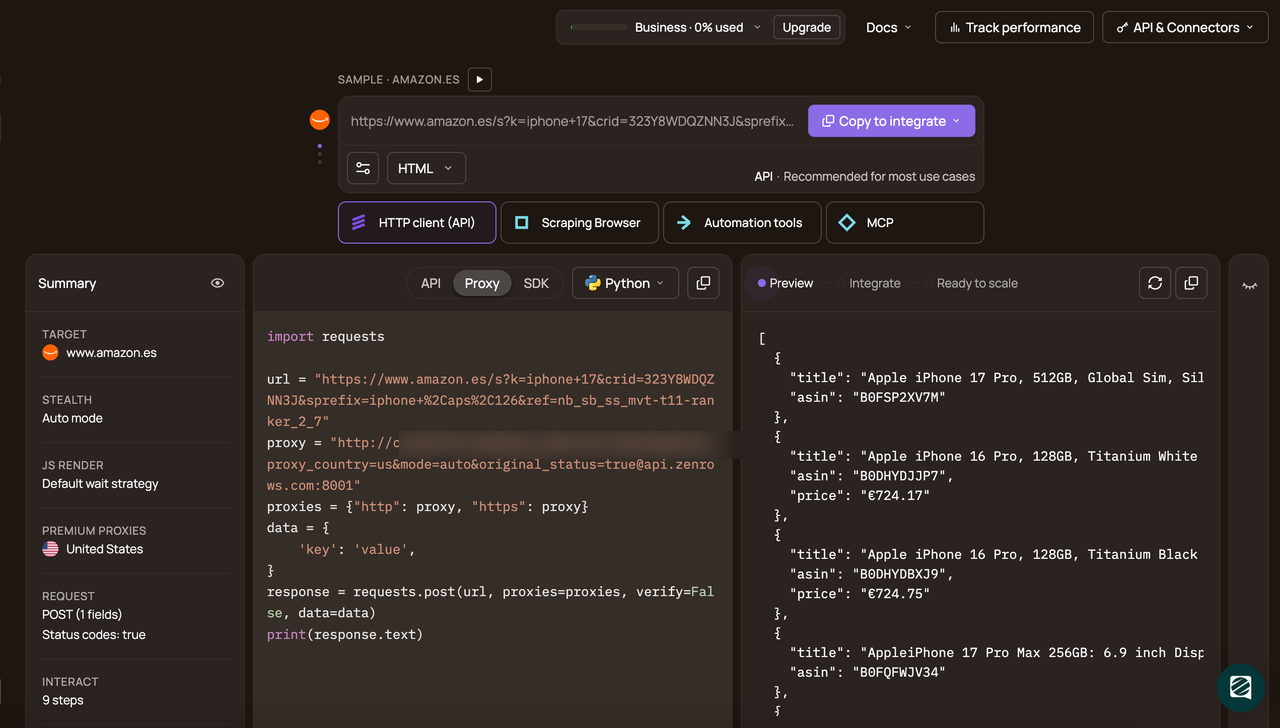
Next, select Python, then click the API connection mode. Then, copy the generated code and paste it into your script.
pip3 install requests
import requests

url = "https://www.scrapingcourse.com/antibot-challenge"
apikey = "<YOUR_ZENROWS_API_KEY>"
params = {
    "url": url,
    "apikey": apikey,
    "mode": "auto",
}
response = requests.get("https://api.zenrows.com/v1/", params=params)
print(response.text)
Run the code, and you'll successfully access the page:
<html lang="en">
<head>
    <!-- ... -->
    <title>Antibot Challenge - ScrapingCourse.com</title>
    <!-- ... -->
</head>
<body>
    <!-- ... -->
    <h2>
        You bypassed the Antibot challenge! :D
    </h2>
    <!-- other content omitted for brevity -->
</body>
</html>
Congratulations! 🎉 You’ve successfully bypassed the Antibot Challenge page using ZenRows. This method works on any website protected by anti-bot systems.
Conclusion
In this guide, you've learned important things about fake User Agents:
- How User Agents work in web scraping.
- Ways to generate and rotate random User Agents in Python.
- How to rotate between different User Agents.
- Why User Agent management isn't enough by itself.
Remember that websites use many techniques to detect bots. Find out more about our user agent rotation.
Integrate ZenRows to make sure you extract all the data you need without getting blocked. Try ZenRows for free now or speak with sales!
FAQ
What is a random User Agent?
A random User Agent is a browser identification string dynamically selected from a pool of real browser User Agents. Rather than using a fixed string across many requests, random User Agent generation lets you change User Agents per request.
Tools like Python's fake-useragent library generate these automatically, rotating across different browsers and operating systems to make each request appear as if it came from a different real user.
How do I rotate User Agents in Python?
The simplest way is to use the fake-useragent library. Instantiate the UserAgent class and call ua.random on each request to get a different browser string every time. For more control, you can limit rotation to specific browsers using ua.chrome or UserAgent(browsers=['chrome', 'safari']), or filter by popularity using the min_percentage parameter.