
Web Scraping with Byparr to Bypass Anti-Bots
Learn how to scrape protected pages with Byparr. Route your scraping requests through Byparr's reverse proxy to bypass anti-bots.
If your scraper is returning 403 errors, JavaScript challenges, or verification pages instead of HTML, you’re in the right place.
In this tutorial, you’ll learn how to use Byparr to bypass anti-bot checks. You’ll cover how Byparr works, how to run it with Docker, call its HTTP API, and reuse the returned HTML, cookies, and headers in your scrapers. You’ll also learn where self-hosted solvers like Byparr hit their limits and when a managed scraping API solution is a better fit.
What Is Byparr?
Byparr is a self-hosted anti-bot bypass server with an HTTP API. It runs a real browser through Camoufox behind a FastAPI server. When you send a request, the library returns a JSON response including the target page HTML, cookies, and headers your scraper can reuse.
Since Byparr exposes an HTTP API, plugging it into an existing scraper or *arr media stack (Sonarr, Radarr, Prowlarr, and similar apps) is easy. It then acts as a shared reverse proxy that tries to bypass the site’s anti-bot checks for all connected apps.
Related: Web Scraping with Camoufox to Bypass Anti-bots
Byparr uses a FlareSolverr-like API, so switching from FlareSolverr to Byparr requires only minimal configuration changes. However, Byparr only improves your chances of passing anti-bot checks. It does not guarantee success. Outcomes still depend on proxies, IP reputation, fingerprints sent, request headers and request header arrangement, behavioral patterns, request frequency, etc., especially for stricter targets.
How Byparr Acts as a Reverse Proxy for Anti-Bot Bypass
Your scraper sends a request to the Byparr HTTP API instead of going directly to the protected site. Byparr acts as a reverse proxy here. It receives the request, opens a real browser behind the scenes through its Camoufox-based automation stack, and loads the target URL as a normal user would.
The browser runs all the site’s JavaScript, completes any anti-bot challenges, and waits until the final page is fully loaded. When that happens, Byparr returns a JSON response containing the HTML, the session cookies, the response headers, and additional metadata.
Your scraper or tools like Prowlarr reuse those cookies and headers for follow-up requests until the session expires.
You can also optionally plug a proxy into Byparr so its browser traffic goes through that proxy instead of your own IP. Setting Byparr up with proxies makes requests look like they come from different users. This can help reduce rate-limited IP bans.
Skip the blocks. Try Zenrows free and get clean web data without the anti-bot fight.
How to Use Byparr
In this tutorial, you’ll see how to use Byparr step-by-step. But before you install and use it, let's first try accessing the Anti-bot challenge page without Byparr to see how the site responds to a plain requests client.
Scraping a Protected Site Using Requests
To follow along, make sure you've installed Python 3. Then install requests with:
pip3 install requests
Go on and create a script that sends a request to the protected site and saves the response.
import requests
from pathlib import Path

# target url
TARGET_URL = "https://www.scrapingcourse.com/antibot-challenge"

# send request
resp = requests.get(TARGET_URL, timeout=30)

# print http status
status = resp.status_code
print("http status:", status)

# basic antibot/error detection
if status == 200:
    print("target returned 200 ok (anti-bot bypassed)")
elif status == 403:
    print("target returned 403 forbidden (blocked by antibot)")
else:
    print(f"target returned unexpected status: {status}")

# extract html from response
html = resp.text or ""

# save html to file (even if empty)
out_path = Path("scrapingcourse_antibot_direct.html")
out_path.write_text(html, encoding="utf-8")
print(f"saved html to: {out_path.name}")
This script sends a GET request to the ScrapingCourse anti-bot challenge page, prints the HTTP status, and writes the HTML body to scrapingcourse_antibot_direct.html. If the site blocks the request, you see a 403 error or a challenge page instead of the real content.
When you run this script, the output looks like:
http status: 403
target returned 403 forbidden (blocked by antibot)
saved html to: scrapingcourse_antibot_direct.html
Open the saved HTML file in a code editor and inspect it.
<!DOCTYPE html>
<html lang="en-US">
<head>
    <title>Just a moment...</title>
    <meta http-equiv="Content-Type" content="text/html; charset=UTF-8">
    <meta http-equiv="X-UA-Compatible" content="IE=Edge">
    <meta name="robots" content="noindex,nofollow">
    <meta name="viewport" content="width=device-width,initial-scale=1">
    <style>
        <!-- remaining HTML omitted for clarity -->
This confirms that the request was blocked. The server did not return the desired HTML. Instead, it returned a challenge page that requires a real browser and a valid session to pass.
This is where Byparr comes in. Instead of sending the request straight to the anti-bot challenge page, you can bypass it by routing it through Byparr.
Next, let's set up Byparr to bypass the anti-bot challenge.
Step 1: Install Byparr With Docker or UV
You can run Byparr in a few ways: as a Docker container, through Docker Compose, or locally with `uv` from the source repo. In this tutorial, you’ll use Docker, since it's the fastest and recommended way to get a Byparr HTTP server running.
Start by ensuring that Docker is installed on your computer. If not, follow these instructions to download and install it.
Then, download the Byparr image and start a container.
docker run -d --name byparr -p 8191:8191 ghcr.io/thephaseless/byparr:latest
If everything goes well, Docker Desktop should show a running container named byparr with port 8191. At this point, the Byparr server is running and listening on http://localhost:8191.
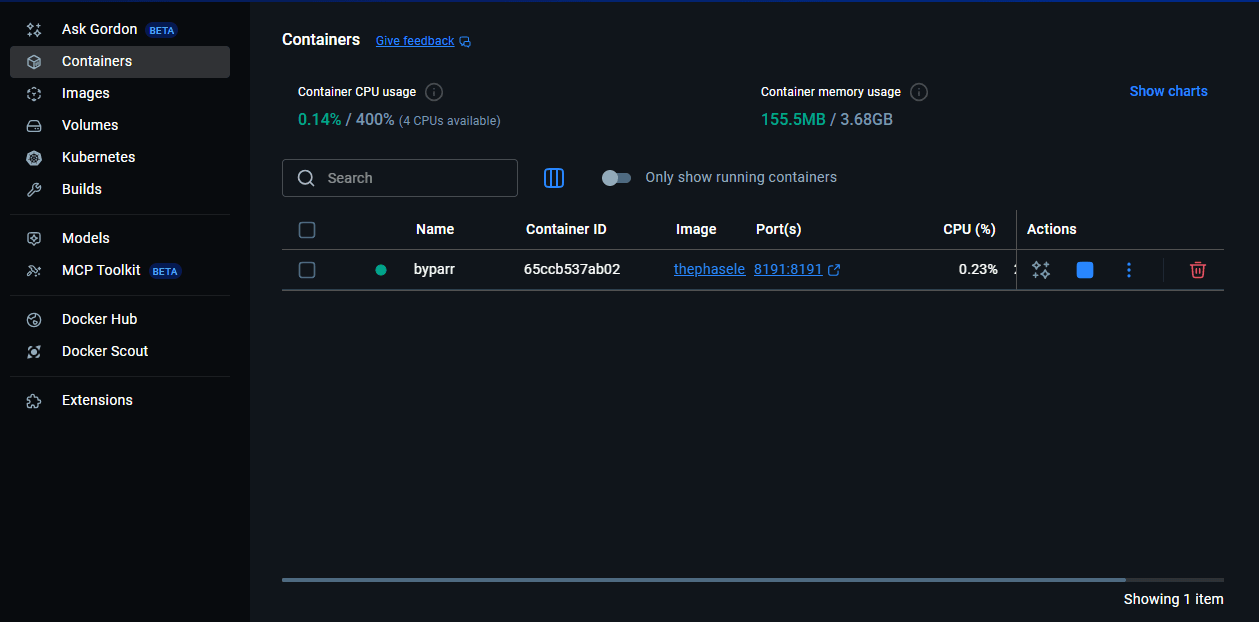
You can also verify this from the terminal with:
docker ps
When you run the command, you should see all the Docker containers that are currently running.
If you want Byparr to run with a proxy, you can add environment variables directly in the command. This is optional, and Byparr will still work without it.
docker run -d --name byparr -p 8191:8191 -e PROXY_SERVER=http://proxy-host:port -e PROXY_USERNAME=user -e PROXY_PASSWORD=pass ghcr.io/thephaseless/byparr:latest
This tells Byparr’s browser engine to send all outbound traffic through the proxy you specify. Replace the placeholders with your actual proxy configurations.
Step 2: Run Byparr and Confirm It's Ready
Once the container exists, you don’t need to recreate it each time. You only need to start it.
If it ever stops, start it again with:
docker start byparr
To confirm that Byparr is running and ready, open this URL in your browser:
http://localhost:8191/
If the server is running, you should see the FastAPI documentation page for the Byparr API.
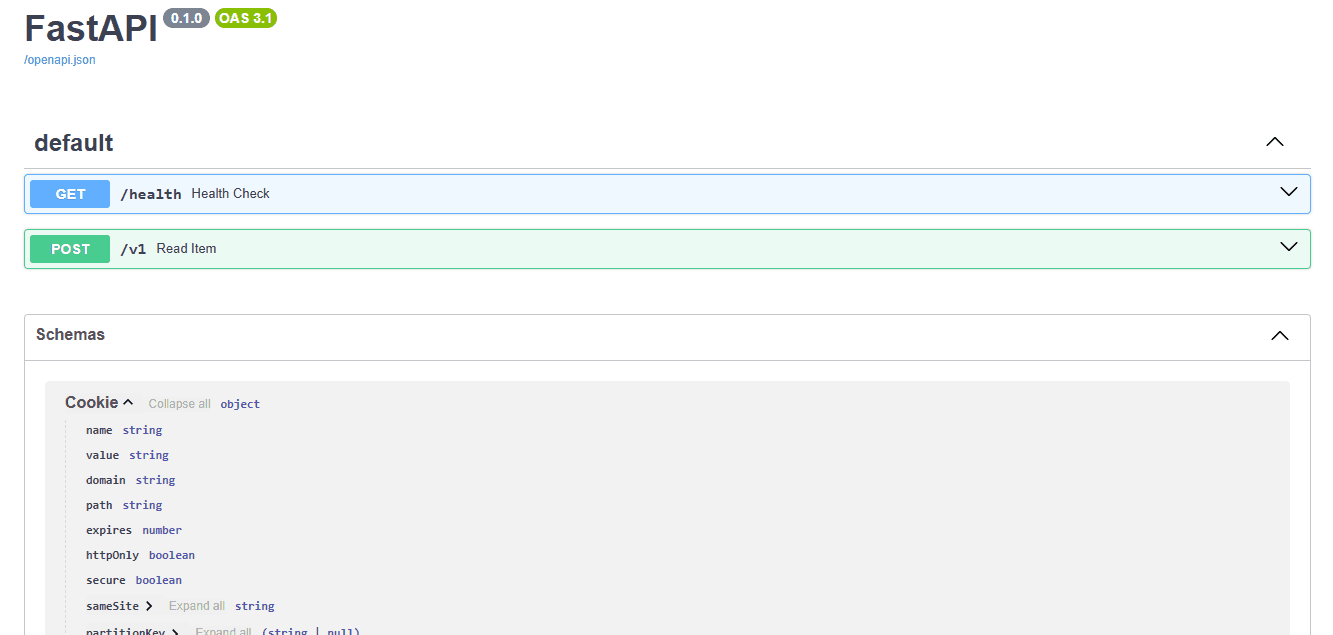
This confirms the HTTP API is live and ready to handle requests from your scraper.
Step 3: Scrape Through Byparr’s API
The next step is to send the same ScrapingCourse anti-bot challenge URL through Byparr instead of calling it directly.
Modify the previous script to post a JSON payload to the Byparr HTTP API. Here, BYPARR_URL points to http://localhost:8191/v1. The payload tells Byparr to open the ScrapingCourse anti-bot challenge in a real browser and perform a GET request, with up to 120 seconds to clear the challenge:
import requests
from pathlib import Path

# byparr endpoint and target url
BYPARR_URL = "http://localhost:8191/v1"
TARGET_URL = "https://www.scrapingcourse.com/antibot-challenge"

# json payload sent to byparr (flaresolverr-compatible)
payload = {
    "cmd": "request.get",          # tell byparr to perform a GET request
    "url": TARGET_URL,             # target antibot page
    "maxTimeout": 120000           # max time for browser to solve challenge (ms)
}

# http headers for the call to byparr
headers = {"Content-Type": "application/json"}

# send request to byparr
resp = requests.post(BYPARR_URL, headers=headers, json=payload, timeout=130)

# print byparr's http status
print("byparr http status:", resp.status_code)

# if byparr itself failed, stop here
if resp.status_code != 200:
    print("byparr error, not attempting to read solution")
else:
    # parse json body from byparr
    data = resp.json()
    solution = data.get("solution", {})

    # print target site's http status (inside solution)
    target_status = solution.get("status")
    print("target http status:", target_status)

    # basic antibot / error detection
    if target_status == 200:
        print("target returned 200 ok (anti-bot bypassed)")
    elif target_status == 403:
        print("target returned 403 forbidden (blocked by antibot)")
    else:
        print(f"target returned unexpected status: {target_status}")

    # extract html from solution
    html = solution.get("response", "") or ""

    # save html to file (even if empty)
    out_path = Path("scrapingcourse_antibot_byparr.html")
    out_path.write_text(html, encoding="utf-8")
    print(f"saved html to: {out_path.name}")
When you run the script, the output is as follows:
byparr http status: 200
target http status: 200
target returned 200 ok (anti-bot bypassed)
saved html to: scrapingcourse_antibot_byparr.html
Open the saved file in a browser. Instead of the Cloudflare challenge you saw earlier, you now get the real ScrapingCourse anti-bot challenge page:
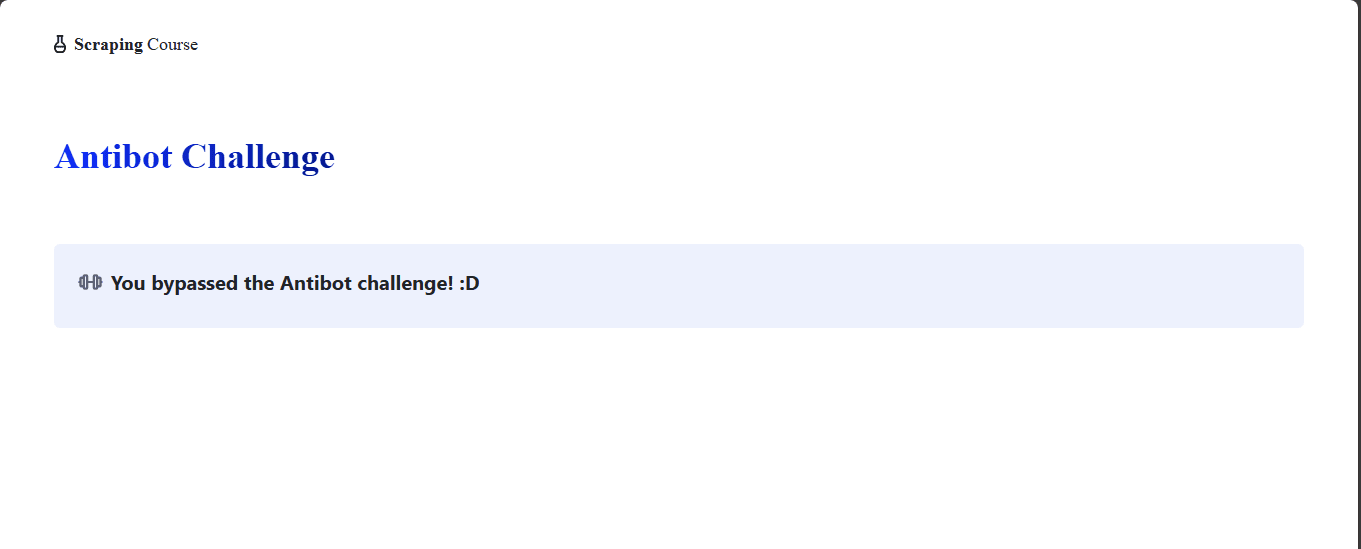
This shows that Byparr bypassed the anti-bot protection and returned the real ScrapingCourse anti-bot challenge page. Still, Byparr has some limitations that make it unsuitable for large-scale scraping. You’ll learn about those limitations and how to overcome them in the next section.
Solving Byparr’s Limitations with Managed Scraping APIs
Byparr still runs on your own infrastructure, so every request depends on your proxies, IP ranges, and configs. When anti-bot providers change their rules, a working setup starts failing without warning, and you've to fix it. As traffic grows, one or two Byparr instances turn into a bottleneck and a single point of failure. More sites and regions mean more time spent keeping the solver alive instead of using the data.
What managed scraping APIs do differently
A managed scraping API wraps proxies, browsers, and anti-bot handling behind one endpoint. Instead of running your own Byparr servers and proxy lists, you send a single request to this API, and it takes care of JavaScript rendering, IP rotation, header and fingerprint tuning, and WAF or CAPTCHA bypass in the background.
A good example is the ZenRows’ Universal Scraper API, which combines JavaScript rendering, smart proxy rotation, and anti-bot auto-bypass into one API call. It also has headless browser features to execute user actions and extract dynamic content, with guaranteed success on hard targets.
Using a Managed Scraping Solution on the Same Hard Target
Sign up for ZenRows. Then, in the ZenRows dashboard, open the Universal Scraper API request builder and paste the challenge URL. Enable JavaScript rendering and Premium Proxy.
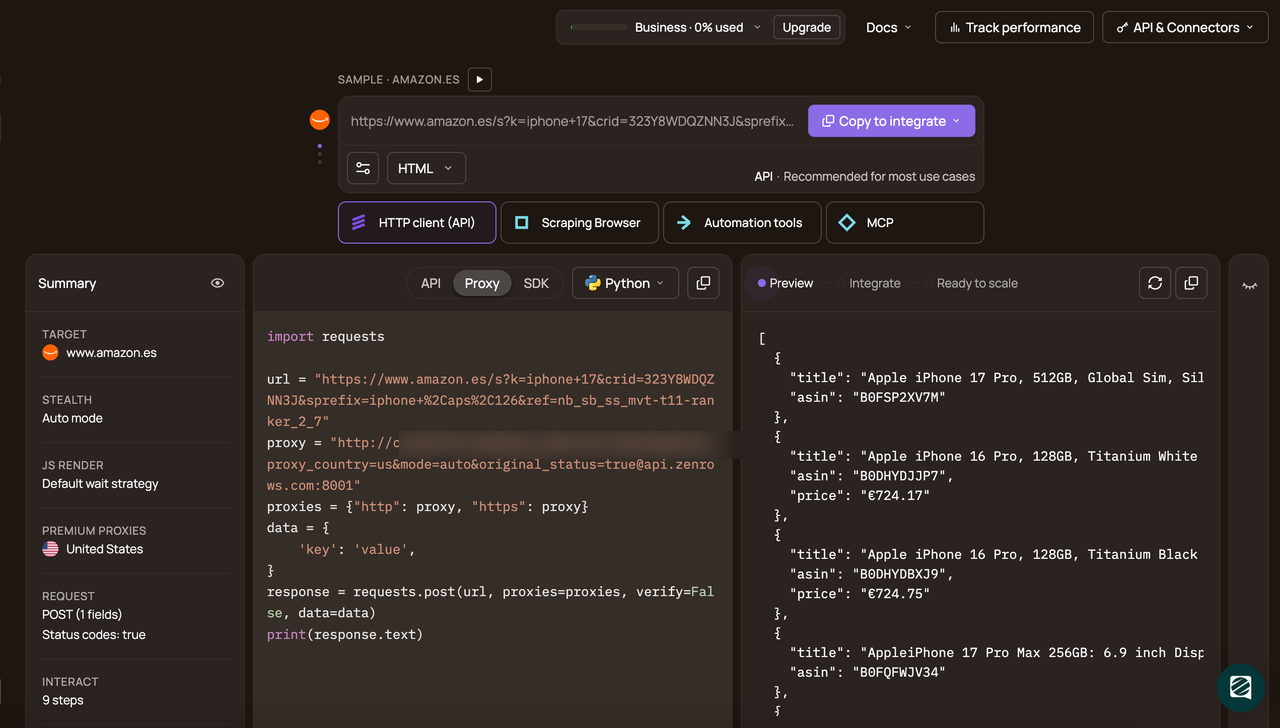
In the code panel, pick Python as your programming language and select the API connection mode. Copy the generated snippet and paste it into your scraper file.
# pip install requests
import requests

url = 'https://www.scrapingcourse.com/antibot-challenge'
apikey = "<YOUR_ZENROWS_API_KEY>"
params = {
    'url': url,
    'apikey': apikey,
    'js_render': 'true',
    'premium_proxy': 'true',
}
response = requests.get('https://api.zenrows.com/v1/', params=params)
print(response.text)
Here, the request goes through ZenRows instead of your local Byparr container. The Universal Scraper API loads the page in a headless browser, executes the JavaScript, rotates residential IPs under the hood, and applies its anti-bot bypass logic before sending the final HTML back.
When you run the script, the response contains the actual protected site's raw HTML rather than a Challenge page.
<!doctype html>
<html lang="en"><head>
    <meta charset="UTF-8">
    <meta name="viewport" content="width=device-width, initial-scale=1.0">
    <meta http-equiv="X-UA-Compatible" content="ie=edge">
    <title>Antibot Challenge - ScrapingCourse.com</title>
    <!-- HTML cut for brevity -->
</head>
<body>
    ...
    <h2 class="challenge-title text-xl font-bold" id="challenge-title" data-testid="challenge-title" data-content="challenge-title">
        You bypassed the Antibot challenge! :D
    </h2>
    <!-- rest of HTML cut for brevity -->
</body></html>
Congratulations🎉! You've successfully bypassed the ScrapingCourse anti-bot challenge with ZenRows.
Conclusion
In this article, you learned why a plain HTTP client fails on anti-bot-protected pages and only returns block pages or challenges. You also saw how Byparr helps by driving a real browser and returning usable HTML, cookies, and headers, but it still runs on your own infrastructure and depends heavily on your proxies, IP reputation, and configs, which makes it harder to scale.
You then saw how a managed scraping API like ZenRows’ Universal Scraper API runs the browsers and proxies for you and handles anti-bot checks behind a single endpoint. This lets you get the benefits of browser-based bypass without maintaining the scraping infrastructure yourself, so you can focus on extracting and using the data.
Try ZenRows for free now or speak with sales!
FAQ
How do I set up Byparr?
The easiest way to set up Byparr is with Docker. You run a single command like docker run -d --name byparr -p 8191:8191 ghcr.io/thephaseless/byparr:latest and Docker pulls the image, creates the container, and starts the server for you.
What is the default port of Byparr?
Byparr listens on port 8191 by default, so you reach it at http://localhost:8191 unless you change the mapping.
Is Byparr a good replacement for FlareSolverr?
Byparr is designed as an alternative, FlareSolverr-style proxy that uses FastAPI and a browser automation stack, and projects like ArrSuite already treat it as a drop-in replacement in *arr stacks. It is still under active development, though, so you should expect changes and occasional rough edges.
Can I run Byparr on a NAS or home lab server?
Yes, as long as your network-attached storage (NAS) device or home lab supports Docker or containers, you can run the same Byparr image there and point your *arr services or scrapers at it. On TrueNAS, for example, Byparr runs as an app in its own container.
Is Byparr enough for production scraping?
You can use Byparr for smaller or self-hosted setups, but it still depends on your own proxies and infrastructure, and the maintainer lists core items like broader proxy support as ongoing work. For larger or critical scraping workloads, move to a managed scraping API like ZenRows.