
7 Best MCP Servers for Web Scraping in 2026
Here are the best MCP servers for web scraping in 2026. See how ZenRows, Firecrawl, Bright Data, Oxylabs, and more stack up on anti-bot bypass, JS rendering, and AI-ready output.

TL;DR: The right scraping MCP server in 2026 depends on your targets and scale. For a single tool that handles everything, including adaptive anti-bot bypass, ZenRows is the strongest pick. Firecrawl suits multi-page crawling but breaks on heavily protected sites. Apify covers niche platforms through pre-built Actors with varying quality. Jina AI fits RAG and research pipelines. Bright Data and Oxylabs serve enterprise browser automation and Amazon/Google targets. Decodo works on a budget for softer targets.
LLM-powered applications have a knowledge cutoff. Anything published or updated after that date is invisible to the model unless an external tool retrieves it during the session. Web scraping MCP servers do exactly that. They fetch live page content at runtime and return it as context that the model can use.
The problem is that not all scraping MCP servers are reliable. Some fail on JavaScript-rendered pages. Others get blocked by anti-bot systems. This guide compares seven options so you can pick the right one without having to test them all yourself.
What Is MCP?
Model Context Protocol (MCP) is an open standard that lets AI applications connect to external tools and services through a consistent interface. Instead of building a custom integration for every tool and every model, developers write one MCP server, and any compatible client can use it.
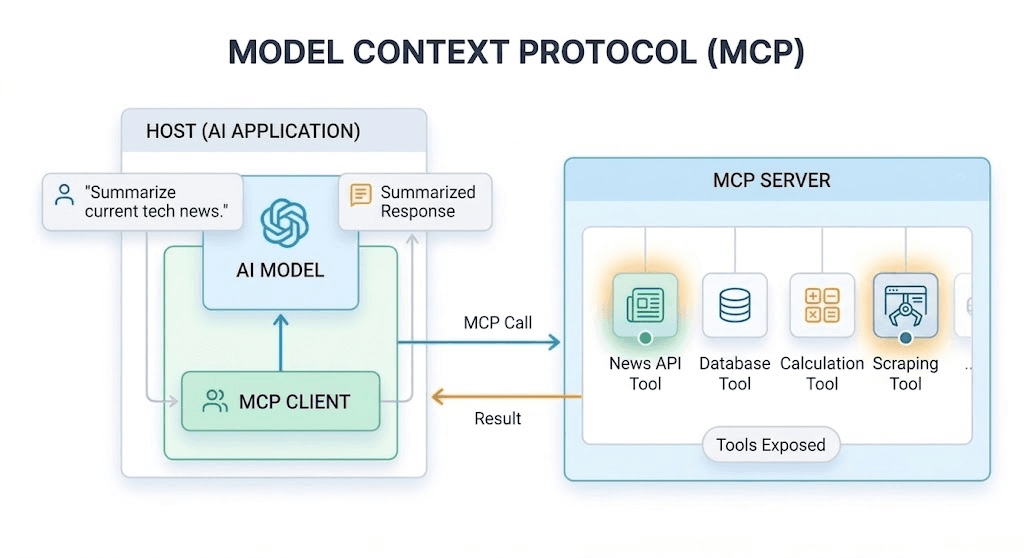
The setup has three parts: the host (the AI application you interact with, such as Claude Desktop or Cursor), the MCP client (a built-in component that manages server connections), and the server (a separate program that exposes tools the AI can call, like fetching a web page or querying a database).
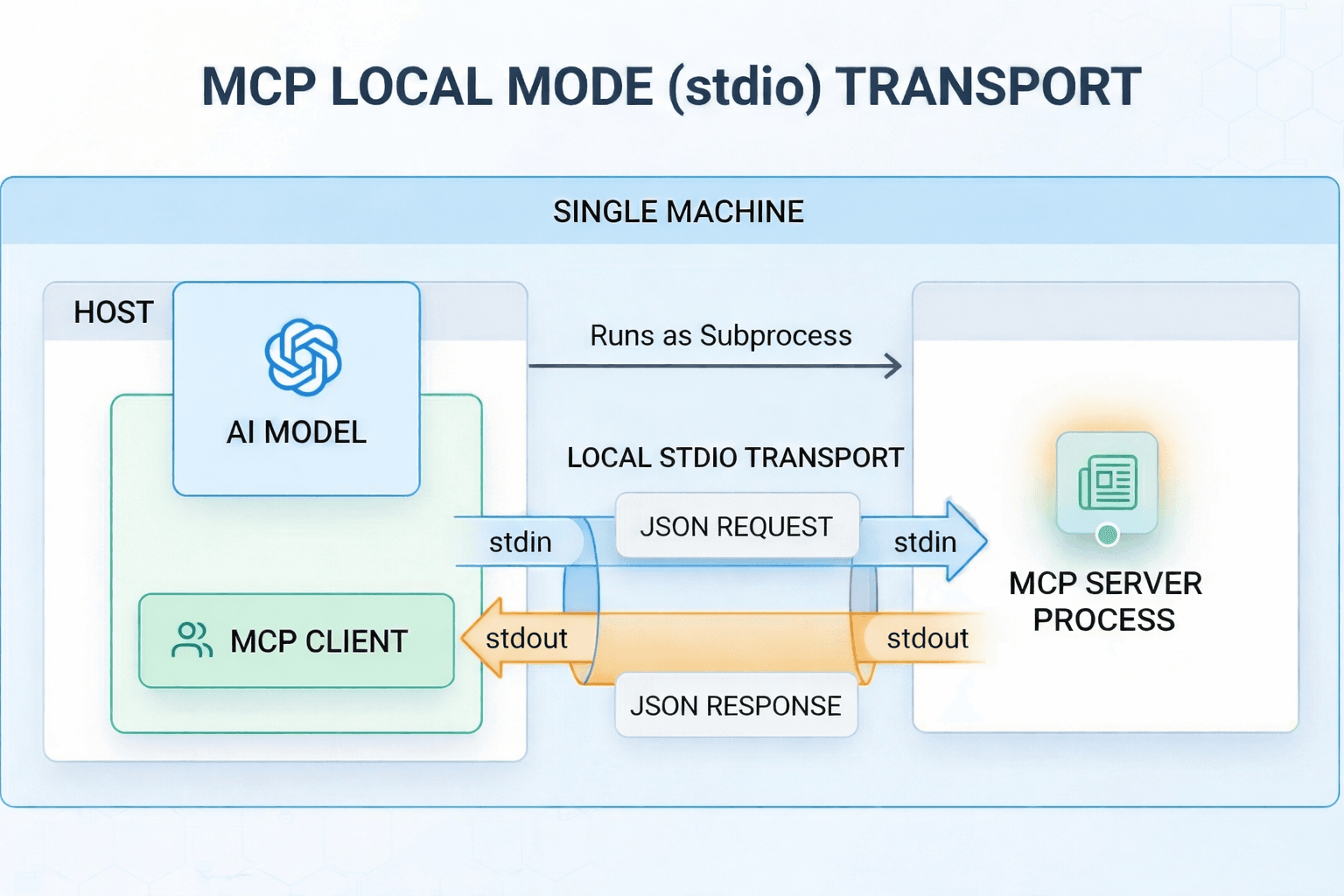
MCP supports two transport modes. One is the local mode, which runs the server as a subprocess on the same machine using standard input/output (stdio).
The other one is the remote mode, which connects to an externally hosted server over HTTP and optionally uses Server-Sent Events (SSE) to stream responses back to the client.
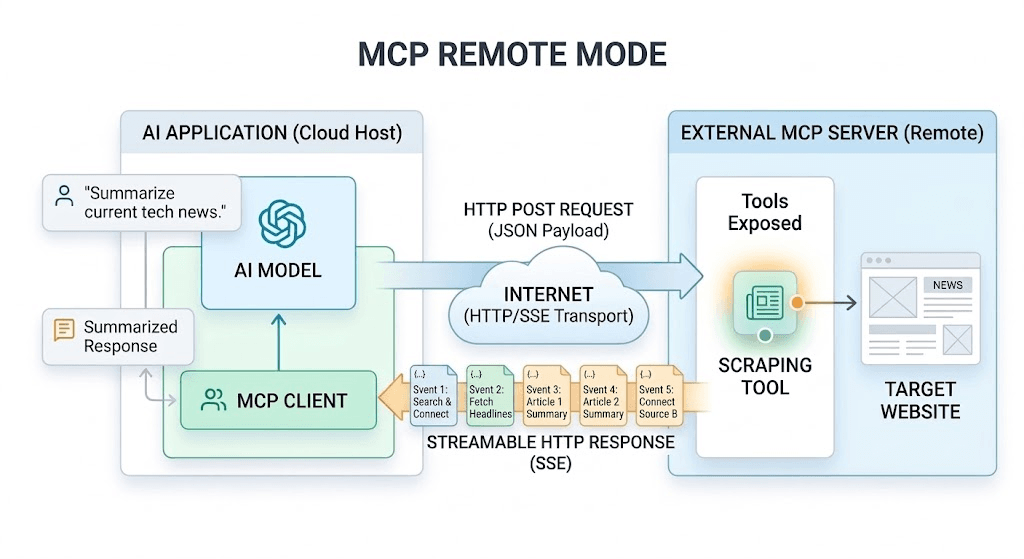
For example, in a scraping request, the user requests live web data; the AI client calls a scraping tool on the MCP server; the server conducts the scrape; and the result is returned to the AI client for use in the response.
Skip the blocks. Try Zenrows free and get clean web data without the anti-bot fight.
How Scraping MCP Servers Helps Agents and LLMs
A scraping MCP server fetches the actual target page during the session and returns it as context for the model. That has several benefits:
- Reduce hallucinations from cutoff-bound knowledge: When the agent or LLM retrieves the page in real time, it can base its answer on the retrieved text rather than filling gaps from the training data.
- Returns full source content, not snippets: Search results are often clipped or cached. Scraping the source URL gives the model the complete page, so it can locate the exact passage it needs rather than inferring from a partial excerpt.
- Keep retrieval within the same execution loop: When scraped content returns as a tool response, the agent can immediately follow up, refine the request, fetch a second page, or re-extract a section without handing off work to a separate scraping pipeline.
- Delivers model-ready output: A well-configured scraping MCP returns Markdown or structured JSON rather than raw HTML, reducing parsing overhead and allowing more of the model's context window to be spent on the actual task.
- Enable repeatable follow-ups: When content returns in a consistent format, the agent can reuse it across steps, such as extracting fields, checking a specific paragraph, comparing two versions of a page, or citing the relevant text, without reparsing it each time.
Where You Can Use Scraping MCP Servers
Scraping MCP servers work in any AI application that supports MCP connections.
AI Coding Editors and IDEs
In tools like Cursor, VS Code, Windsurf, and JetBrains, a scraping MCP server lets the model pull updated documentation, API references, and changelogs that were published after its training cutoff. This is particularly useful when debugging a library that has recently changed or when exploring an unfamiliar API before writing code.
Chat Assistants
In Claude Desktop and similar apps, a scraping MCP server enables the model to read a target page during the conversation rather than relying on cached search snippets or older training data. Users commonly use this to verify claims against a source, analyze competitors, check recent product updates, or read documentation that postdates the model's cutoff.
Self-Hosted Chat Clients
Teams running their own chat deployments can connect a scraping MCP server to provide the model with live web access within a controlled environment, without routing requests through external services.
Agent Frameworks and Pipelines
In frameworks like LangChain, LangGraph, LlamaIndex, AutoGen, and CrewAI, scraping MCP servers fits into production workflows, allowing the agent to retrieve live pages during the same session. This is most useful for research agents, price- or content-monitoring jobs, and RAG refresh pipelines that need up-to-date web data without a separate scraping layer.
What to Look for Before Choosing a Scraping MCP Server
Here are the main factors to consider before choosing an MCP server:
- Anti-bot bypass capabilities: First, check whether the server can reach the sites you actually need. If it fails on protected targets, the rest of the feature matters less.
- JavaScript rendering: Many pages load key content after the initial response. A scraping MCP should handle rendering, waits, and actions such as clicks, form input, or scrolling when the target requires them. Otherwise, you may get empty or partial content.
- Geo-targeting and locale controls: Some sites adjust pricing, restrict access, alter search results, or modify the layout based on the user's country or region. If that affects your workflow, the MCP server should let you control the request location and locale.
- Output format: Scraping MCP servers can return Markdown, JSON, HTML, plain text, or screenshots. Markdown is the most useful output format for most AI tasks. It preserves page structure in a compact form that models can process efficiently. JSON works better when the agent needs to extract specific fields and pass them to other tools or pipelines.
- Hosted versus self-hosted deployment: Hosted MCP servers reduce manual setup and maintenance. Self-hosted deployment offers more control but adds operational overhead, increasing setup time, maintenance, and the amount of infrastructure you manage yourself.
- Tool count and schema overhead: Fewer tools mean less context overhead on every request. A server that exposes one or two focused tools is almost always preferable to one exposing twenty or more, unless the broader tool set is genuinely needed and the server uses tool grouping or dynamic loading to keep unused schemas out of the prompt.
Info
The best scraping MCP server is the one that can reliably access your target sites, return content in the format you need, and fit your workflow, not the one with the longest feature list.
The 7 Best MCP Servers for Web Scraping in 2026
In this section, you’ll compare seven web scraping MCP servers. If you’d like a quick snapshot before the detailed breakdown, the table below sums up all seven at a glance.
| Tool | Best For | JS Rendering | Anti-Bot Bypass | Tool Count | Output Format | Starting Price | Free Trial |
|---|---|---|---|---|---|---|---|
| ZenRows | Anti-bot + JS-heavy pages | ✅ | ✅ Automatic | 1 | Markdown, plaintext, JSON, HTML, screenshot | $69.99/month | 1,000 URLs |
| Firecrawl | Multi-page crawl & site discovery | ✅ | Partial | 12 | Markdown + JSON | $16/month | 500 credits |
| Bright Data | Browser automation and platform-specific structured data extraction | ✅ | ✅ | 4 (free) / 60+ (Pro) | Markdown + JSON | $1.50/1K results (scraping) / $8/GB (browser use) | 5,000 req/mo |
| Oxylabs | Amazon & Google targets | ✅ | ✅ | Credential-based | Markdown + JSON | $49/mo (Web Scraper) + $12/mo (AI Studio) | 7-day trial |
| Apify | Pre-built vertical scrapers | Varies by Actor | Varies by Actor | Varies by Actor | Markdown + JSON | $29/month | $5 monthly credit. |
| Decodo | Balanced general scraping | ✅ | Partial | 5 | Markdown | $19/month | 7-day trial |
| Jina AI | Retrieval and PDF-heavy workflows | ✅ | ❌ | 19 | Markdown, screenshots | $0.05/1M tokens | 10M tokens |
Let's now cover each MCP server in detail.
1. ZenRows MCP
ZenRows MCP connects AI tools to real-time web data through the ZenRows Universal Scraper API. It exposes a single scrape tool that handles JavaScript rendering and anti-bot bypass. Using Adaptive Stealth Mode, it automatically selects the most effective configuration for each request. It also handles proxy rotation, browser fingerprinting, and session management behind the scenes, so you do not have to manage that infrastructure separately.
By default, it returns clean, structured Markdown optimized for AI consumption, preserving the data's signal while using fewer tokens than raw HTML. It also supports plaintext, raw HTML, screenshots, and structured JSON if your AI system needs a different format.
Since the ZenRows MCP server exposes a single scrape tool, there is no ambiguity in tool selection, which keeps context overhead low as requests scale. It works with any MCP-compatible application, including Cursor, Claude Desktop, Claude Code, VS Code, Windsurf, Zed, JetBrains IDEs, etc.
Setup
You need a ZenRows account and API key, which you can get by signing up for a free trial. Then, open your MCP client's configuration file and paste the following config, replacing YOUR_ZENROWS_API_KEY with your API key.
{
  "mcpServers": {
    "zenrows": {
      "command": "npx",
      "args": ["-y", "@zenrows/mcp"],
      "env": {
        "ZENROWS_API_KEY": "YOUR_ZENROWS_API_KEY"
      }
    }
  }
}
- Then save the file and restart your MCP client to load the server.
👍 Pros
- The single scrape tool eliminates tool-selection ambiguity and keeps context overhead low.
- Automatically bypasses any anti-bot measures without manual configuration.
- Adaptive Stealth Mode updates its evasion strategy automatically when a target site changes its protection.
- Returns clean Markdown by default, with support for JSON, plaintext, HTML, and screenshots.
- Supports CSS selector-based extraction, so the model receives only targeted fields
- 24/7 customer support.
- Free trial with 1,000 URLs, no credit card required.
👎 Cons
- Where you paste the JSON configuration depends on the MCP client, so setup varies slightly across tools.
Pricing
Starts at $69.99. Free trial with 1,000 URLs available without a credit card.
Best For
Agents, assistants, and AI workflows that need real-time web access to JavaScript-rendered or anti-bot-protected pages without managing their own scraping infrastructure.
2. Firecrawl MCP
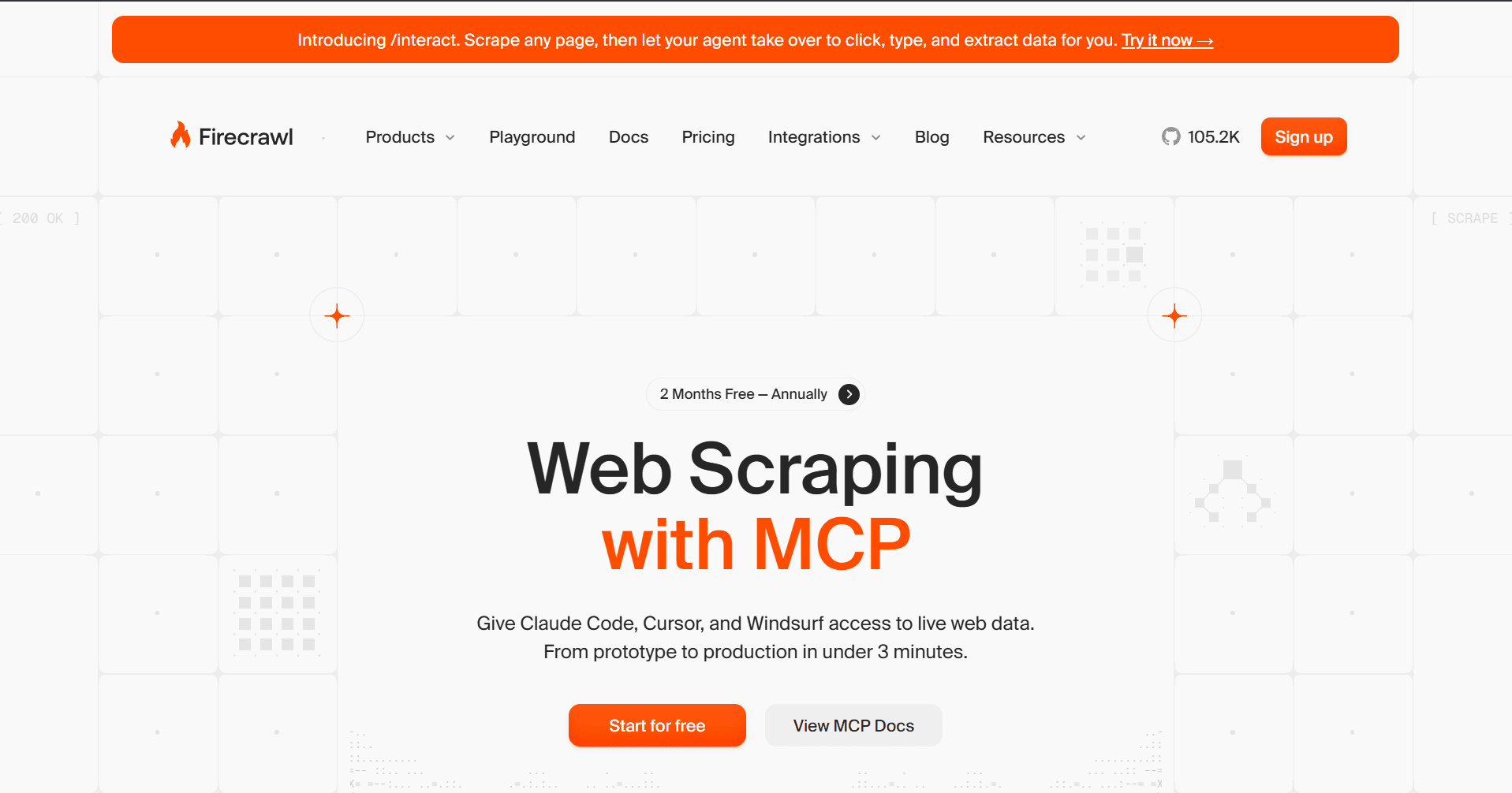
Firecrawl MCP connects AI tools to live web data through the Firecrawl API. It exposes 12 tools covering scraping, crawling, URL mapping, web search, structured extraction, autonomous research, and browser session management. It runs against either the Firecrawl cloud API or a self-hosted instance, and supports both local stdio and Streamable HTTP transport.
The broad tool surface suits multi-step workflows that require site discovery, multi-page crawling, and structured extraction within a single setup. The trade-off is more schema overhead per request and more decision work for the LLM on each call.
Setup
Add the following to your MCP client's configuration file.
{
  "mcpServers": {
    "firecrawl-mcp": {
      "command": "npx",
      "args": ["-y", "firecrawl-mcp"],
      "env": {
        "FIRECRAWL_API_KEY": "YOUR_API_KEY"
      }
    }
  }
}
- For self-hosted instances, set
FIRECRAWL_API_URLto your instance URL instead of providing an API key.
👍 Pros
- Handles the full web data workflow in a single MCP connection.
- Supports JavaScript rendering for scraping and crawl operations.
- Accepts a custom JSON schema for extraction, so the model gets targeted fields instead of full page content.
- Works with both cloud and self-hosted deployments.
- The free tier includes 500 credits, with no credit card required.
👎 Cons
- Anti-bot bypass is partial and fails on heavily protected sites such as those behind Cloudflare.
- The crawl tool defaults to 10,000 pages, so one call can queue far more pages than intended unless you set a lower limit explicitly.
- Self-hosted deployment requires Redis, Playwright, and multiple services via Docker Compose, making it heavier to run than a single-container setup.
- The Extract tool on cloud uses Firecrawl's managed LLM, so you have no control over the model or its token costs.
- 12 exposed tools add schema overhead on every request.
Pricing
Starts at $16/month. Free tier includes 500 credits.
Best For
AI systems that require multi-step site discovery, multi-page crawling, and structured extraction in the same MCP setup, and where anti-bot protection is not a primary requirement.
3. Bright Data MCP
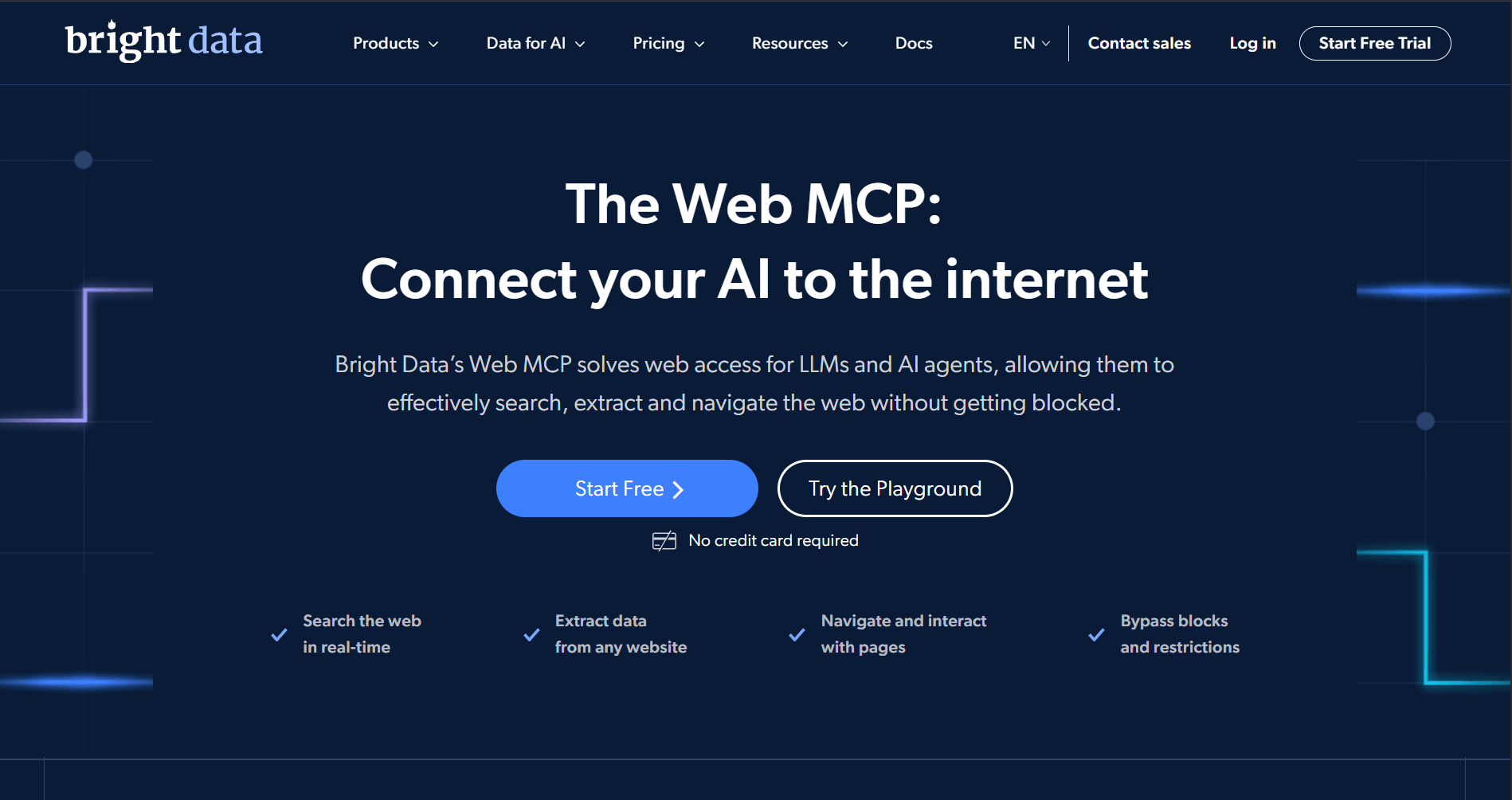
Bright Data MCP packages search, scraping, browser automation, and structured web-data tools into a single server. It has two modes: Rapid and Pro. Rapid is the free tier, capped at 5,000 requests per month, while Pro unlocks a broader set of tools for browser control, batch operations, and structured data endpoints. Tools are organized into groups so you only expose what you need at a given time.
Setup
Bright Data supports both remote and local setups. For local, add the following to your MCP client's configuration file.
{
  "mcpServers": {
    "Bright Data": {
      "command": "npx",
      "args": ["@brightdata/mcp"],
      "env": {
        "API_TOKEN": "<YOUR_API_TOKEN>"
      }
    }
  }
}
👍 Pros
- Covers search, scraping, browser automation, and structured data extraction in a single MCP connection.
- Tool groups let you scope which tools load per workflow, keeping schema overhead low.
- Handles JavaScript rendering on dynamic pages.
- Free tier includes 5,000 requests per month.
👎 Cons
- Pro mode exposes 60+ tools, so the schema overhead is high unless you manually configure tool groups.
- Browser automation and structured web data tools are Pro-only, so the default free setup covers only basic scraping and search.
- Structured data tools only work for specific platforms, not arbitrary URLs.
- Each local npx instance downloads and caches the package separately, adding storage overhead for parallel workloads.
Pricing
Starts at $1.50/1K results (scraping) / $8/GB (browser use) for Pro mode, with a free tier that includes 5,000 requests per month.
Best For
Workflows that need browser automation and platform-specific structured data extraction, where configuring tool groups per workflow is an acceptable overhead.
4. Oxylabs MCP
Oxylabs MCP connects AI tools to live web data through two product lines: Web Scraper API and AI Studio. The Web Scraper API side exposes a generic scraper alongside dedicated tools for Google Search and Amazon, while the AI Studio side adds LLM-powered tools for scraping, crawling, browser control, and web search that return structured Markdown or JSON. The available tools depend on which credentials you configure: Web Scraper API credentials unlock scraper tools, AI Studio credentials unlock AI tools, and using both exposes both.
Setup
Oxylabs MCP runs as a Python process via uvx, so you need to install uv before setup. Then add the following to your MCP client's configuration file.
{
  "mcpServers": {
    "oxylabs": {
      "command": "uvx",
      "args": ["oxylabs-mcp"],
      "env": {
        "OXYLABS_USERNAME": "YOUR_USERNAME",
        "OXYLABS_PASSWORD": "YOUR_PASSWORD",
        "OXYLABS_AI_STUDIO_API_KEY": "YOUR_AI_STUDIO_KEY"
      }
    }
  }
}
Oxylabs also provides a Smithery OAuth setup for supported MCP clients.
👍 Pros
- Dedicated scrapers for Google Search and Amazon make it well-suited for SERP and e-commerce extraction.
- AI Studio tools handle structured extraction, crawling, and browser control without custom parsers.
- Handles JavaScript rendering and anti-bot protection through the Web Scraper API.
- Supports geo-targeting for region-locked content.
👎 Cons
- Getting the full tool set requires two separate Oxylabs subscriptions.
- Some targets, such as LinkedIn, are restricted by default and require contacting support to unlock.
- Setup is more complex than with most single-product MCP servers, since the tools exposed depend on the credentials you configure.
- Requires
uvto be installed before setup, adding an extra step compared to npx-based servers.
Pricing
Starts at $49 per month for the Web Scraper API and $12 per month for AI Studio, with both products offering a free trial.
Best For
Workflows that rely on site-specific scraping, particularly for Amazon and Google targets.
5. Apify MCP
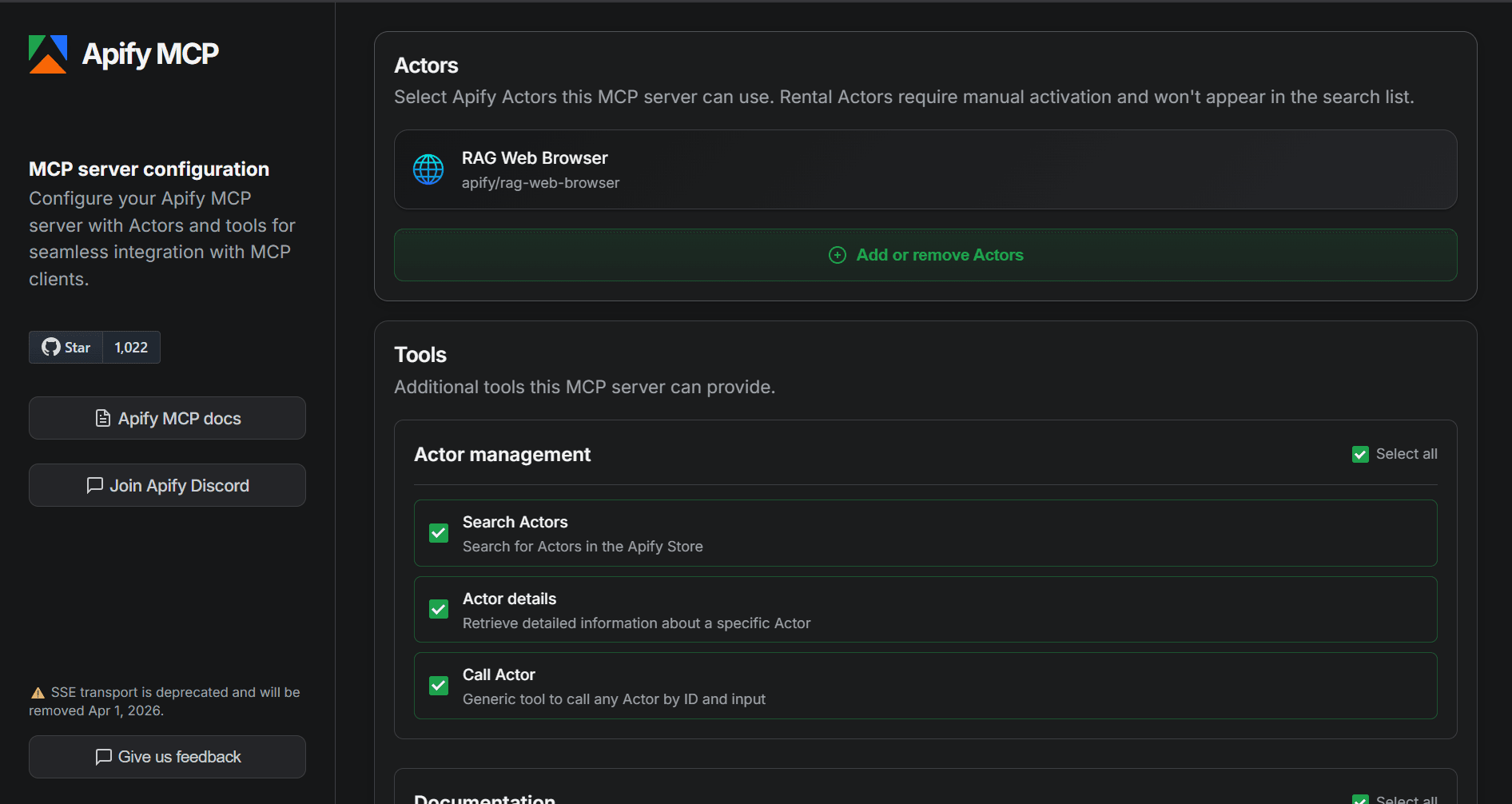
Apify MCP provides AI agents with access to the Apify Store. Instead of a fixed set of scraping tools, the agent can discover and trigger individual Actors from the store as tools, covering targets such as Google Maps, social media, e‑commerce, and academic sites. Each Actor manages its own JavaScript rendering, proxy rotation, and anti-bot behavior, so capabilities and reliability vary across the store.
Setup
Apify MCP supports OAuth, so you can connect from Claude.ai or VS Code using a hosted URL without local configuration. For local setup, add the following to your MCP client's configuration file.
{
  "mcpServers": {
    "apify": {
      "command": "npx",
      "args": ["@apify/actors-mcp-server"],
      "env": {
        "APIFY_TOKEN": "YOUR_APIFY_TOKEN"
      }
    }
  }
}
👍 Pros
- It lets agents discover and invoke Actors from the Apify Store directly through MCP.
- It supports OAuth, so some clients can connect with just a URL instead of local JSON configuration.
- Apify MCP supports dynamic tool discovery, where the server searches the Store, inspects Actor details, and adds new Actors as tools only when needed.
- It can operate either as a hosted HTTP server or as a local stdio process, accommodating different deployment preferences.
- It includes a free tier with 5 dollars in monthly credits.
👎 Cons
- It leaves anti-bot handling, JavaScript rendering quality, and output format up to each Actor, so behavior is inconsistent across the Store.
- Apify MCP can become slower and harder to manage as you add more Actors and tools to one MCP configuration.
- It is constrained by Apify’s MCP rate limit of 30 requests per second per user, so aggressive multi‑tool agents can quickly be throttled.
- Only the hosted Apify MCP exposes structured output schemas, so local stdio setups miss those more explicit, well-structured results.
Pricing
Paid plans start at $29 per month, with a free plan that includes $5 in monthly usage credit.
Best For
When you need access to pre-built scrapers for many specific sites and use cases through one MCP server. It works best when scraper-level variation in pricing, output, and anti-bot handling is acceptable.
6. Decodo MCP
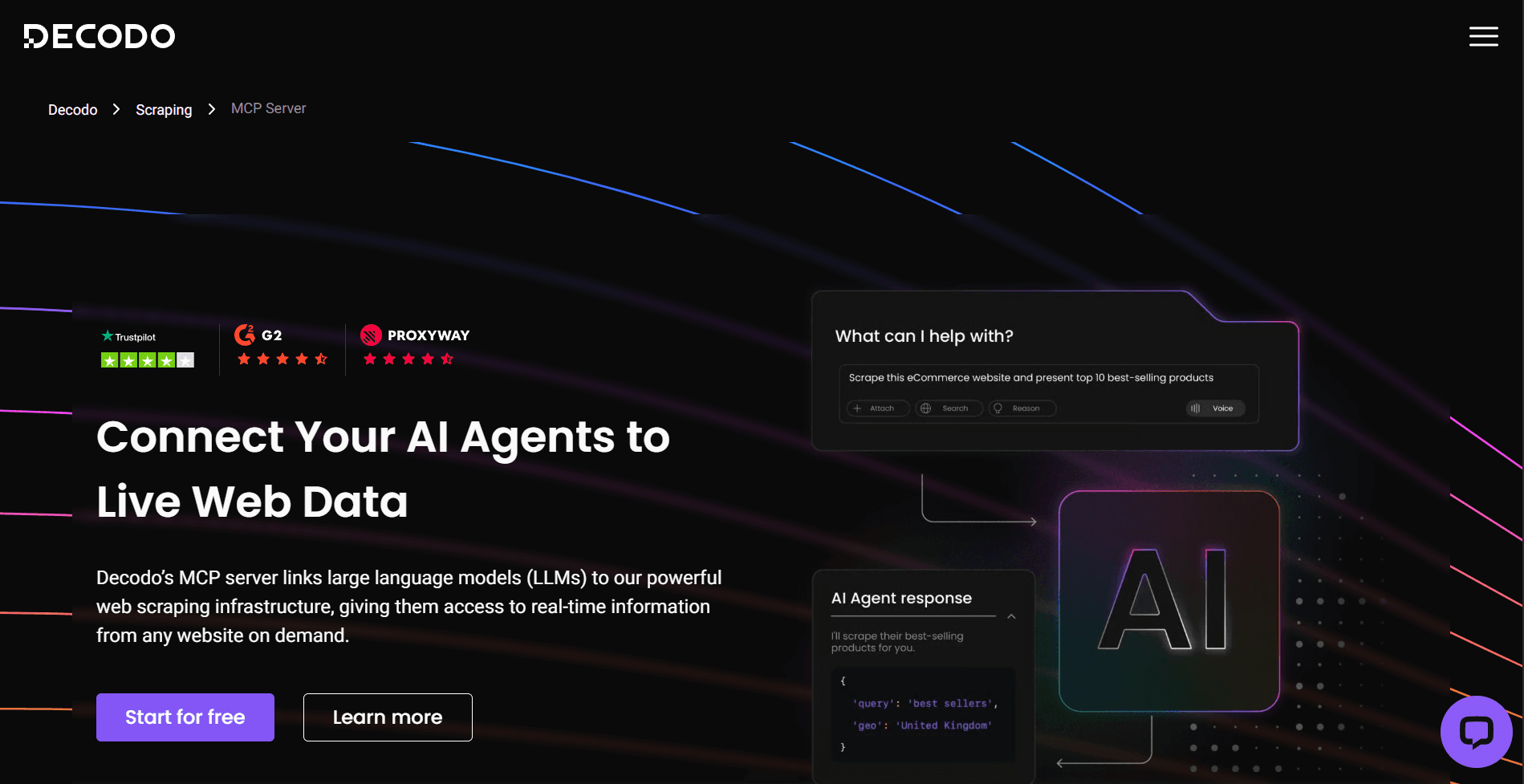
Decodo MCP connects AI tools to real-time web data through a local Node.js server. It exposes five tools: a generic scraper that returns Markdown, parsed Google Search results, parsed Amazon search results, and two Reddit tools for posts and subreddits.
Decodo MCP supports JavaScript rendering, geo-targeting through Decodo’s proxy network, and built-in token limiting to keep responses inside the model’s context window. It deploys locally or through Smithery.
Setup
Clone the repository and build it locally:
git clone https://github.com/Decodo/mcp-web-scraper
cd mcp-web-scraper
npm install && npm run build
Then, add the path to the built index.js file to your MCP client's configuration, along with your credentials as environment variables.
👍 Pros
- It includes dedicated parsers for Google, Amazon, and Reddit.
- Decodo MCP supports JavaScript rendering for dynamic pages.
- It includes geo-targeting, which helps access region-restricted content.
👎 Cons
- Anti-bot protection is partial and struggles on heavily protected targets like G2 and Shein.
- Token limiting aggressively truncates content, so pages that exceed the limit return partial data.
- You can’t scrape certain target categories, including telecom websites, because Decodo blocks them.
- Requires local cloning and building, which adds setup friction compared to npx-based servers.
Pricing
Starts at $19/month with a free trial available.
Best For
AI systems that scrape pages with less aggressive anti-bot protection, where occasional failures on harder targets are acceptable.
7. Jina AI MCP
Jina AI MCP is a remote-hosted MCP server that connects AI tools to Jina's Reader, Search, Reranker, and Embeddings APIs. It exposes up to 19 tools, covering URL reading, web search, arXiv and SSRN academic search, image search, parallel variants of search and read operations, relevance reranking, and string deduplication. The server operates on the Streamable HTTP transport, with no local installation required.
Setup
Basic tools like read_url, capture_screenshot_url, and guess_datetime_url work without an API key. Search, reranking, and deduplication tools require one. Add the following to your MCP client's configuration file.
{
  "mcpServers": {
    "jina-mcp-server": {
      "url": "https://mcp.jina.ai/v1",
      "headers": {
        "Authorization": "Bearer YOUR_JINA_API_KEY"
      }
    }
  }
}
👍 Pros
- Basic page reading, screenshots, and datetime extraction work without an API key.
- Returns clean Markdown that is easy for LLMs to consume.
- Parallel URL reading and parallel web search reduce latency in multi-source workflows.
- Tool filtering via URL query parameters keeps the schema lean without changing the client config.
- It gives you more control over JavaScript-rendered pages through wait-for selectors, page-ready timing, and custom JavaScript before extraction.
👎 Cons
- It cannot bypass anti-bot-protected pages.
- Paid tiers raise limits and speed, not access. Upgrading does not help bypass anti-bots.
- Exposing up to 19 tools adds schema overhead before the model does any real work.
- ReaderLM-v2 uses 3x as many tokens, making higher-quality extraction more expensive.
- All Jina APIs draw from one token pool, so heavy reading and search can eat into reranking and deduplication usage.
Pricing
Starts at $0.05 per 1M tokens, with a Free tier that includes 10M tokens.
Best For
Research and RAG pipelines that need to retrieve web pages and rerank results. It works best when anti-bot bypass is not required.
Conclusion
The right scraping MCP server depends on what you actually need to reach. If your targets are JavaScript-rendered or anti-bot-protected, start with a server that handles both automatically, rather than one that requires manual configuration for each site. If you need multi-page crawling or pre-built scrapers for specific platforms, the tool count tradeoff may be worth it.
For most agent and assistant workflows that need reliable access to live web data, ZenRows MCP is the most straightforward starting point. It offers only a scrape tool via the Universal Scraper API, featuring JavaScript rendering, geo-targeting, automatic bypass, and clean Markdown output by default.
Try ZenRows MCP free on your own targets or talk to sales.
FAQ
Do all scraping MCP servers handle anti-bot protection?
No. Anti-bot support varies significantly across servers. ZenRows MCP handles it automatically as part of its scraping stack. Firecrawl and Decodo offer a partial bypass that works on lighter protection but fails on sites behind Cloudflare or similar systems. Jina AI does not bypass anti-bot protection at all, and upgrading to a paid plan does not change that. Always test against your actual targets before committing.
What output format do scraping MCP servers return?
The output format depends on the server. Most return Markdown, which preserves page structure in a compact form that models can process efficiently. Some also support JSON for structured field extraction, as well as raw HTML, plaintext, and screenshots. ZenRows supports all of these and returns Markdown by default.
Why does my MCP scraping tool return empty content?
The two most common causes for empty responses are JavaScript rendering and anti-bot blocking. Some scrapers fetch the page before JS-dependent content finishes loading, returning an empty shell. Others get blocked entirely before returning any content. If the page is JavaScript-rendered, check whether your server has rendering enabled. If the site has anti-bot protection, you need a server with automatic bypass, since manual tuning rarely keeps up with protection systems that update frequently.
What is the difference between a hosted and a local scraping MCP server?
A local server runs as a subprocess on your machine and communicates over standard input/output. A hosted server runs externally and communicates over HTTP. Local servers give you more control but require local setup and maintenance. Hosted servers reduce that overhead but route requests through an external service.
How many tools should a scraping MCP server expose?
As few as needed. Every tool definition consumes context before the model does any real work. A server with one or two focused tools is almost always preferable to one exposing twenty or more, unless the broader tool set is genuinely necessary and the server uses tool grouping or dynamic loading to keep unused schemas out of the prompt.
How do I know if a scraping MCP server will work on the sites I need?
The best way to know if a scraping MCP server will work for you is to test it directly. Most providers offer a free tier or free trial with enough credits to run your actual targets a few times. General benchmarks give you a rough comparison but will not tell you how a server performs on your specific use case. The only reliable signal is running it against the sites you actually need to scrape.